Contracts define how the revenue your catalog earns on the DSPs is split between your company and your payees. A contract is made up of three parts: the catalog it applies to, the terms, and the payees.
| In this article |
How contracts work
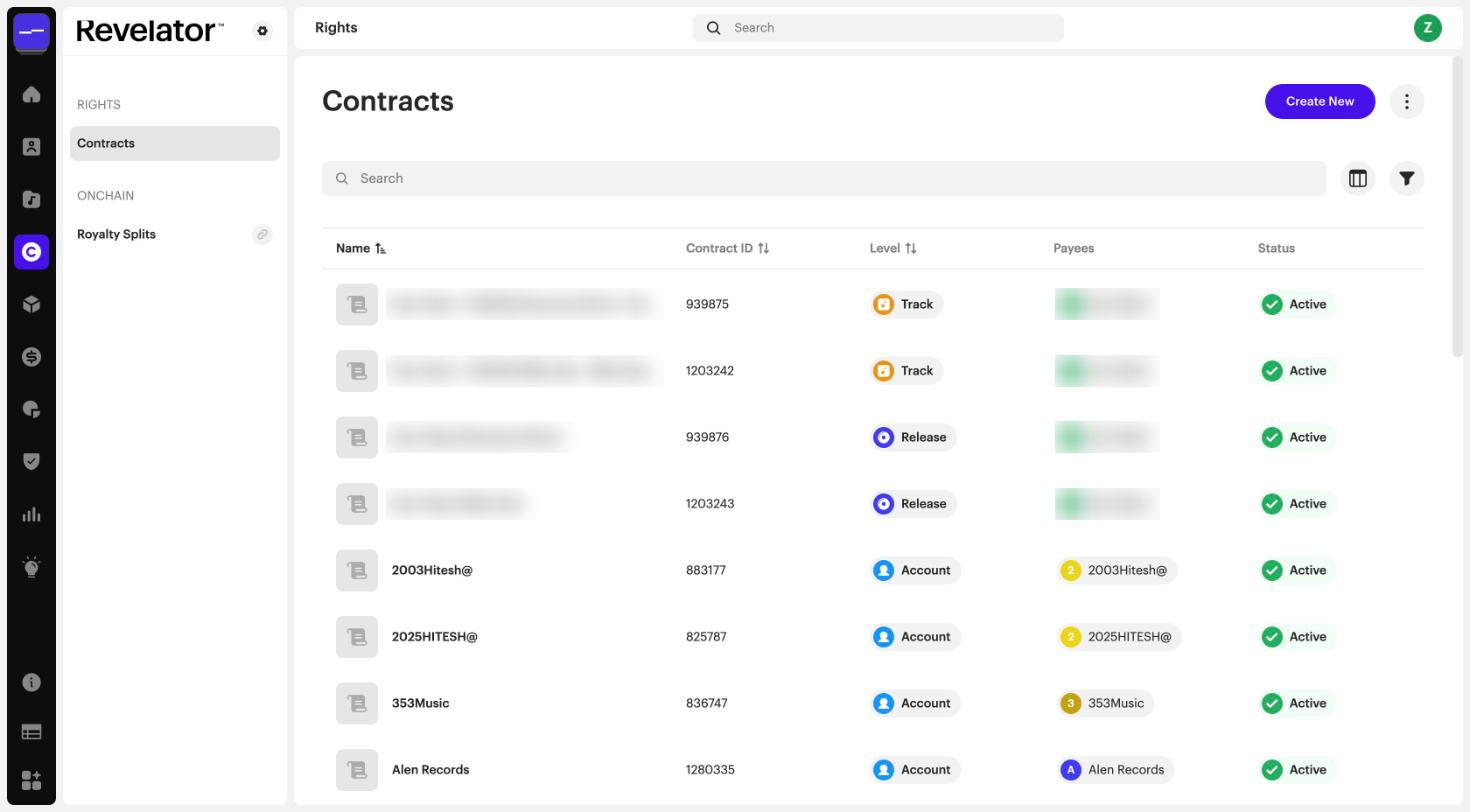
You create contracts in Rights → Contracts. Click Create New to open the contract form. It has four steps: Details, Catalog, Terms, and Payees.
For more info → How to create a contract and assign payees
Details
Enter the Contract Name, set the Contract Status (Active or Inactive), and optionally a Start Date and End Date. The payor (Party Acquiring Rights) is your account.
Catalog
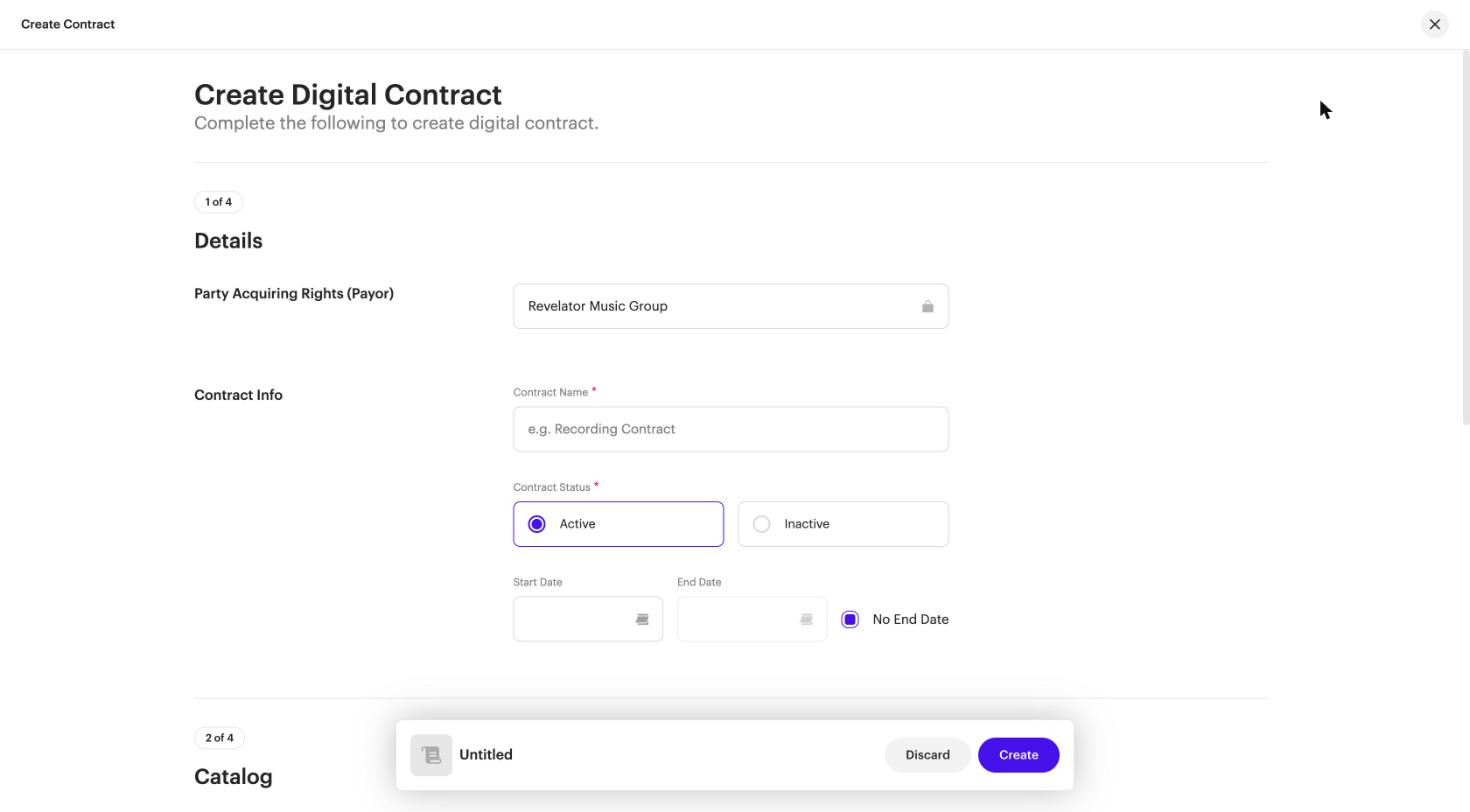
Define the catalog the terms and payees apply to. Under Source, choose Artist or Label and select one, then choose the Included Catalog:
- All Current & Future Catalog: includes all current and future assets and products, excluding only what is already on other contracts. This creates a label- or artist-level contract. It skips catalog that's already on release- or track-level contracts. To cover everything, deactivate the overlapping contracts or remove that catalog from them.
- Selected Catalog Only: includes only the assets and products you add manually. This creates release- and/or track-level contracts. If you select several releases with the same payees, one release-level contract is created for each release at once.
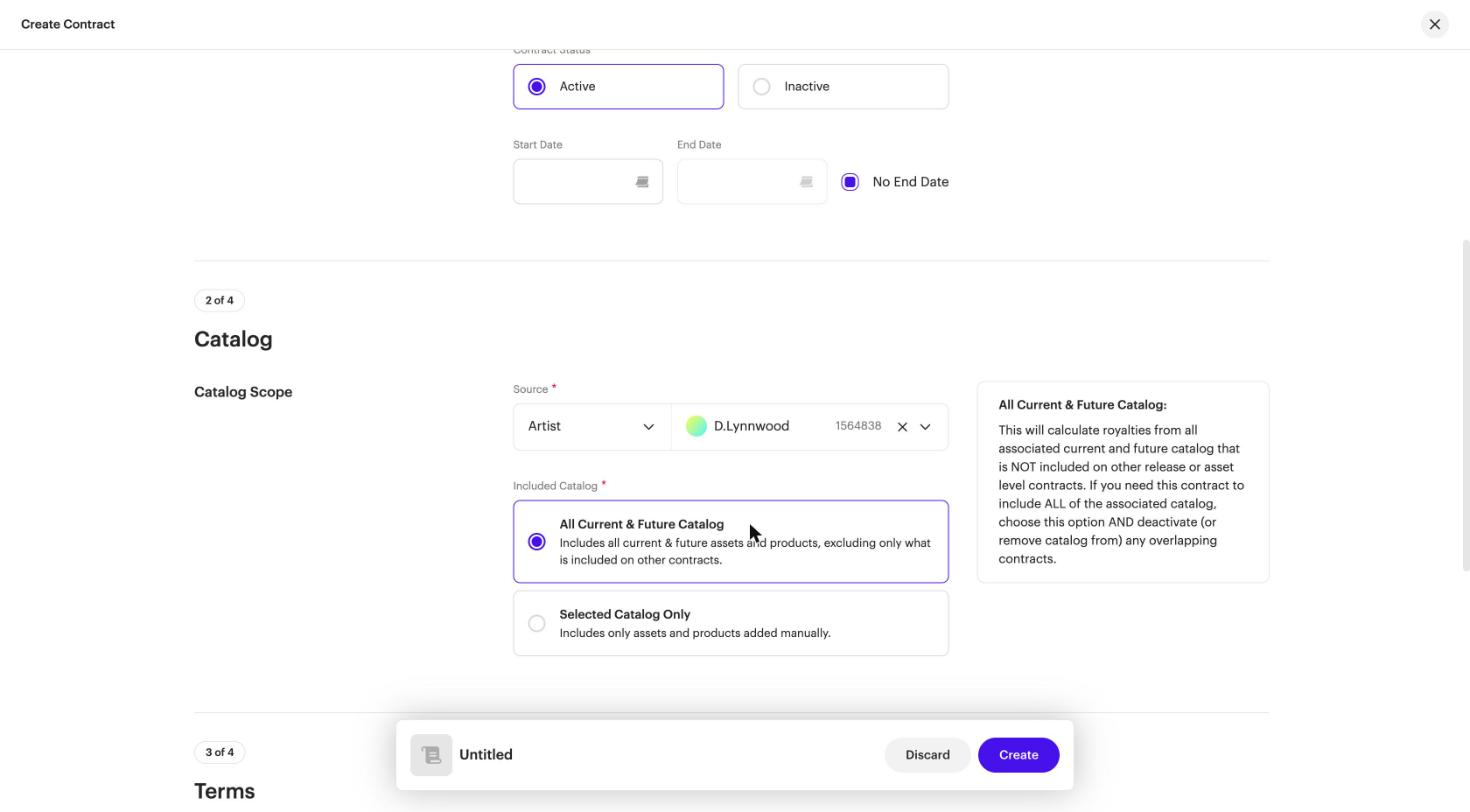
When you add catalog manually, use the Select Catalog dropdown to choose Audio Assets, Video Assets, or Digital Releases.
| Note Catalog that already appears on existing contracts can't be added to a new contract. |
Compilations: revenue lines are matched on the ISRC and UPC pair. Full compilation downloads are allocated at release level, based on the UPC attached to that contract.
Terms
The terms define the payout rate from you to your payees. Click Add Digital Term. Each term has:
- Payout Rate: a percentage of net revenue, between 0% and 100%
- Services: All, All Except, or Only
- Delivery Types: All or Only (click Show Advanced)
- Territories: Worldwide, Worldwide Excluding, or Only In (click Show Advanced)
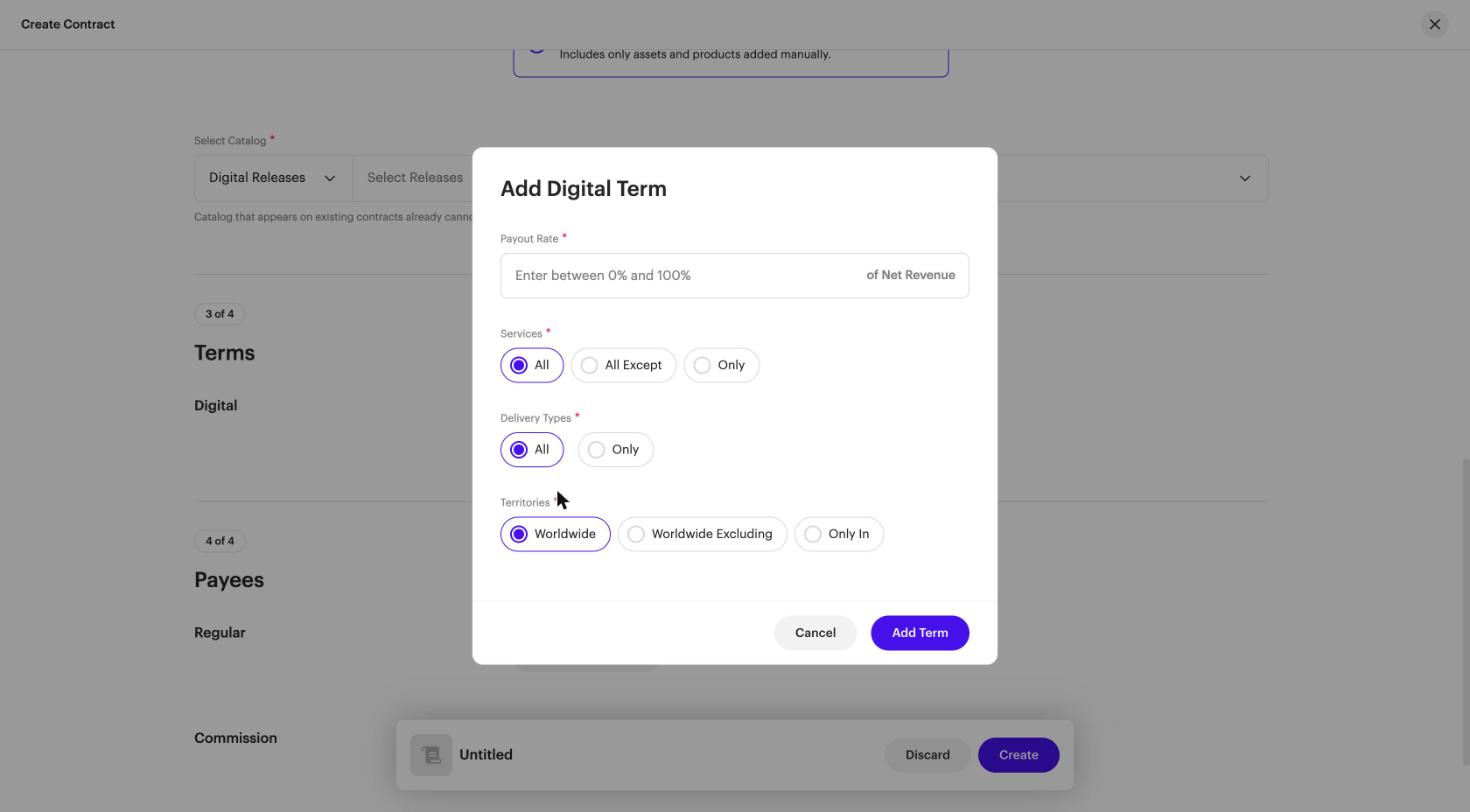
You can add several terms to one contract. For example:
- Term 1: Payout Rate 80%, Services: All Except YouTube Content ID
- Term 2: Payout Rate 70%, Services: Only YouTube Content ID
Delivery types include ad-supported streaming, subscription streaming, claimed UGC, and downloads, among others.
| Tip Revenue from specific territories. To restrict revenue from specific territories, add a term with Territories set to Only In or Worldwide Excluding. To keep that revenue trackable instead, you can route it to a dedicated payee at 100%, so it gets its own statement. After a royalty run, you can also check country-level results in your analytics. See Fixing Unallocated Revenue. |
| Important Terms no longer use formats. If you previously set different terms by format, review those contracts so your terms still match the revenue you expect. |
Payees
The payout revenue, after your terms are applied, is divided among your payees. Click Add Regular Payee or Add Commission Payee, search for the payee, and set their share %.
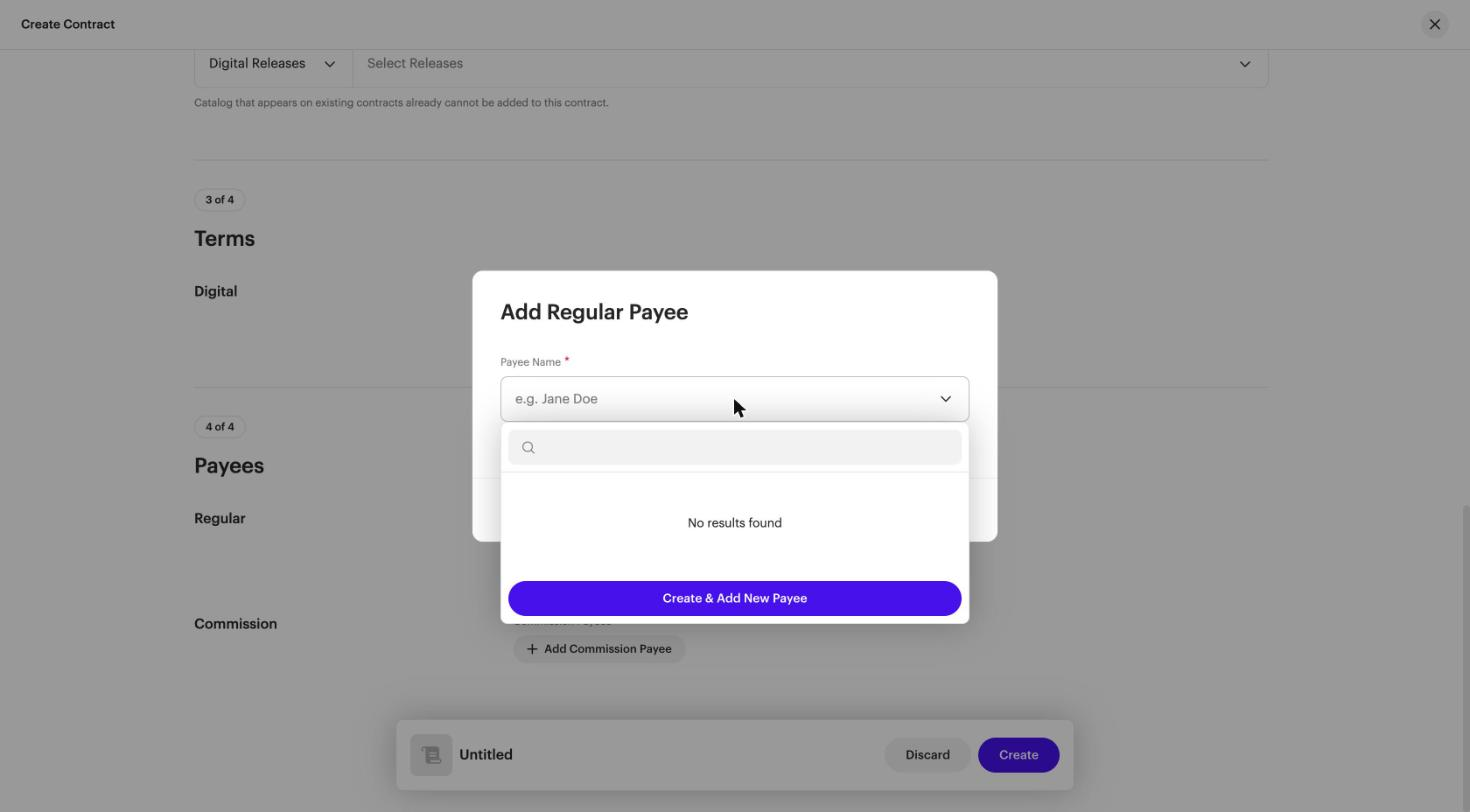
| Important Before you click Create & Add New Payee, search for the existing payee by email, name, or payee ID. If you create a second payee for the same person, their revenue is split across two payee records. |
If the payee doesn't exist yet, click Create & Add New Payee. The Create Payee form has three steps:
- Payee Details: Type (Company or Individual), Payee Name, Pay To Name, Tax Domicile Country, Tax ID Number, VAT Number, and Vendor ID. The Tax Domicile Country can't be changed once it's set.
- Payments: Payment Method, Starting Balance, and Minimum Payment Threshold. A starting balance can be positive or negative, and creates a transaction for the payee before any statements are processed.
- Statements & Portal Access: Email for statements & portal access, Enable Payee Portal, and Statement Summary Currency. Payees need access to their payee portal to receive payments.
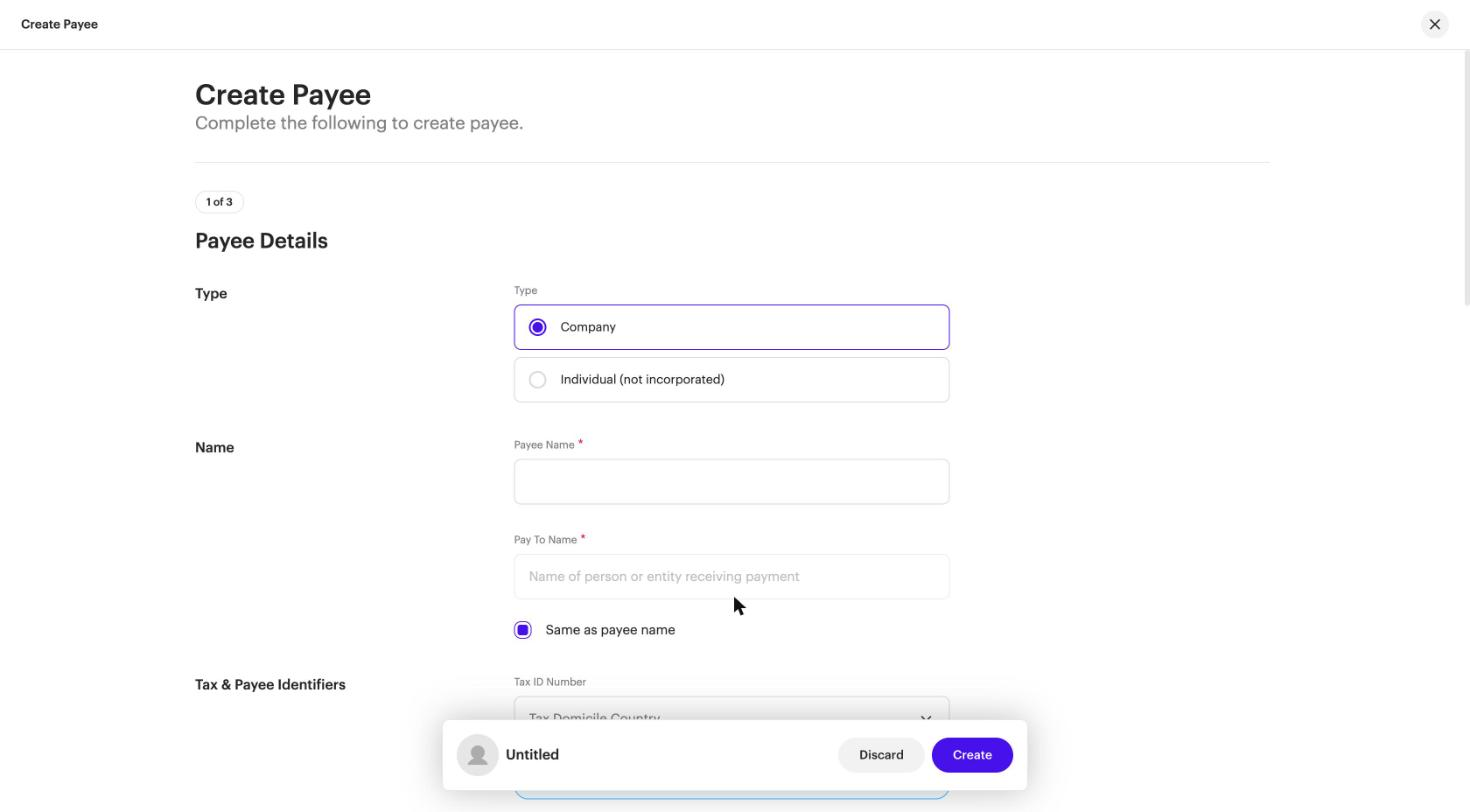
| Note You can only create payees inside a contract. If you discard the contract, any payees you created in it are discarded too. |
The shares of your regular payees on a contract must add up to 100%.
A commission payee is someone whose share % is taken from the distribution fee (your cut of the contract) instead of from the royalties. For example, if the payout rate is 80% and you give a commission payee 50%, they get 10% of the total.
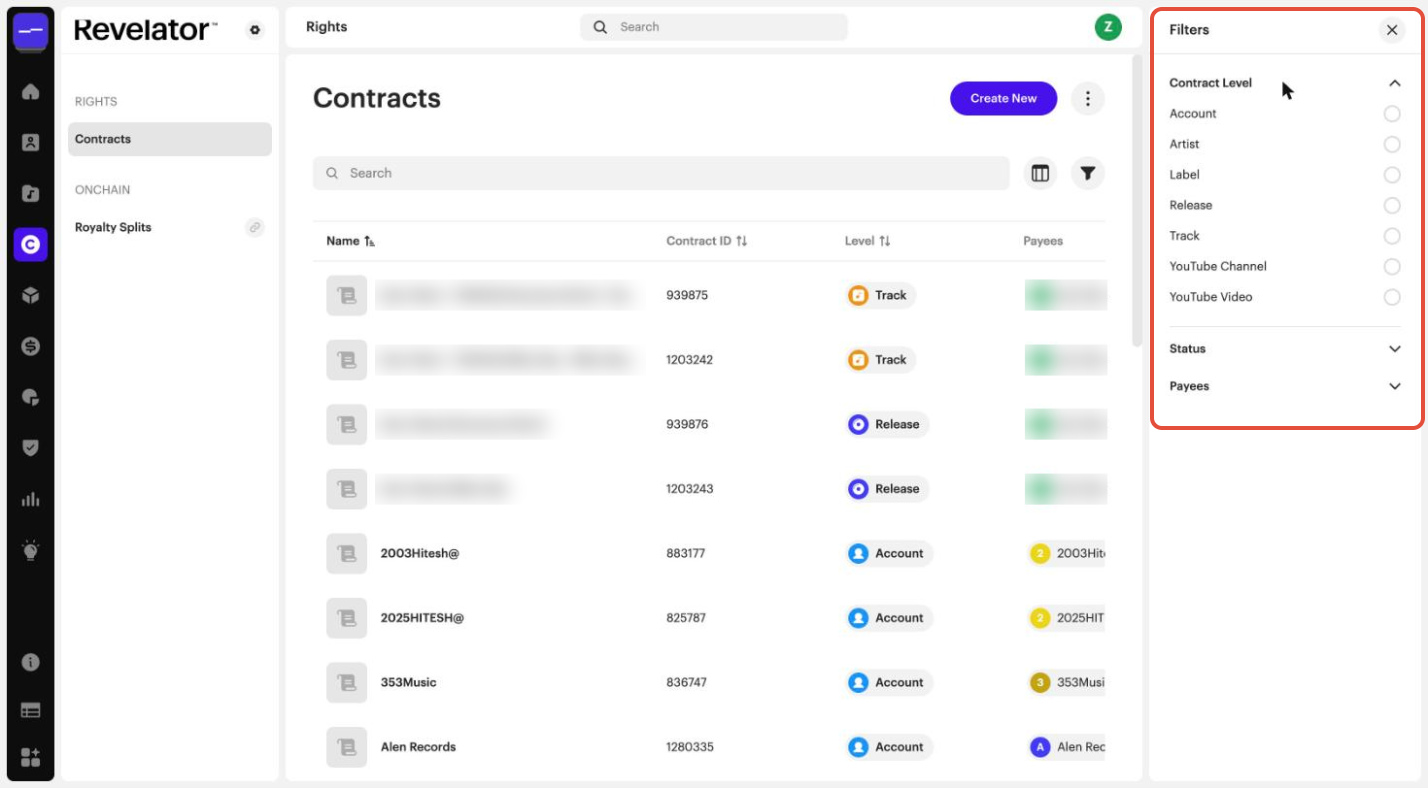
Contract levels
- Account level: created automatically when you create a client, at the payout rate you set (for example, 80%). It covers all the releases in that account that aren't on a more specific contract.
- Label level: applies to all assets of a specific label.
- Artist level: applies to all assets of a specific artist.
- Release level: applies only to specific releases.
- Track level: applies only to specific tracks.
You can filter your contracts by level in Rights → Contracts. The list also includes YouTube Channel and YouTube Video levels.
Which contract applies
When an asset is on more than one contract, the most specific contract wins, in this order:
- Track
- Release
- Label or artist
- Account
| Note One ISRC can't be on more than one track-level contract. |
Rules and limits
Contract status
Royalty runs include Active contracts and exclude Inactive ones. The Start and End dates don't activate or deactivate a contract. Only the Contract Status does.
Frequently asked questions
How are compilation releases handled?
Revenue is matched using the ISRC and UPC pair. For full compilation downloads, revenue is allocated at release level, based on the UPC attached to the contract.
How do I restrict or manage revenue from specific territories?
Set the territories directly in the contract's terms. You can also route that revenue to a dedicated payee, and check country-level results in your analytics after a royalty run.
An asset is on both a release-level contract and an artist-level contract. Which one applies?
The release-level contract. The most specific contract wins: track, then release, then label or artist, then account.
What must the shares of the regular payees on a contract add up to?
100%.
What does an All Current & Future Catalog contract skip?
Catalog that's already on release- or track-level contracts. To cover everything, deactivate the overlapping contracts or remove that catalog from them.
Related articles
Was this article helpful?
That’s Great!
Thank you for your feedback
Sorry! We couldn't be helpful
Thank you for your feedback
Feedback sent
We appreciate your effort and will try to fix the article