Export your catalog metadata as a CSV or XLSX file to review, audit, or manage your release and track information outside of your account. You can export your full catalog or only the releases that match your filters.
Export your catalog
- Go to Catalog → Digital Releases in the left sidebar.
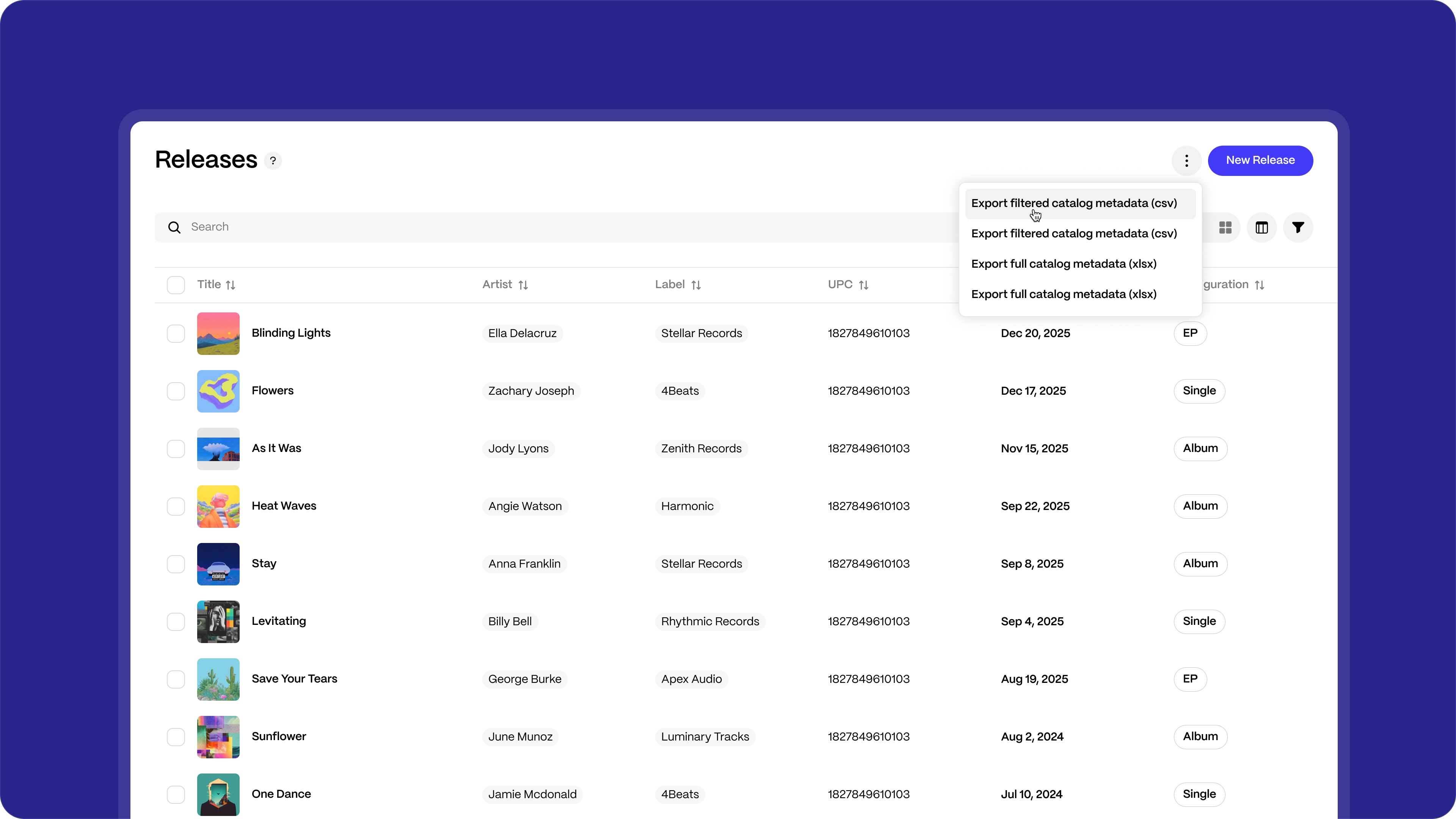
- Click the ⋮ menu at the top right of the Releases page.
- Choose an export option:
- Export filtered catalog metadata (csv): Exports only the releases that match your active filters.
- Export filtered catalog metadata (xlsx): Exports the same releases as an Excel file.
- Export full catalog metadata (csv): Exports your entire catalog.
- Export full catalog metadata (xlsx): Exports your entire catalog as an Excel file.
Your file will download automatically.
Filter before you export
To export only part of your catalog, apply filters first.
- Click the filter icon at the top right of the Releases page to open the Filters panel.
- Apply any combination of filters, including:
- Distribution status
- Release date or creation date
- Type, genres, or payees
- Archive status (Archived Only or All)
- Client, labels, or UPCs
- Check the results. The releases list updates to show only the matching results.
- Click the ⋮ menu → Export filtered catalog metadata in CSV or XLSX.
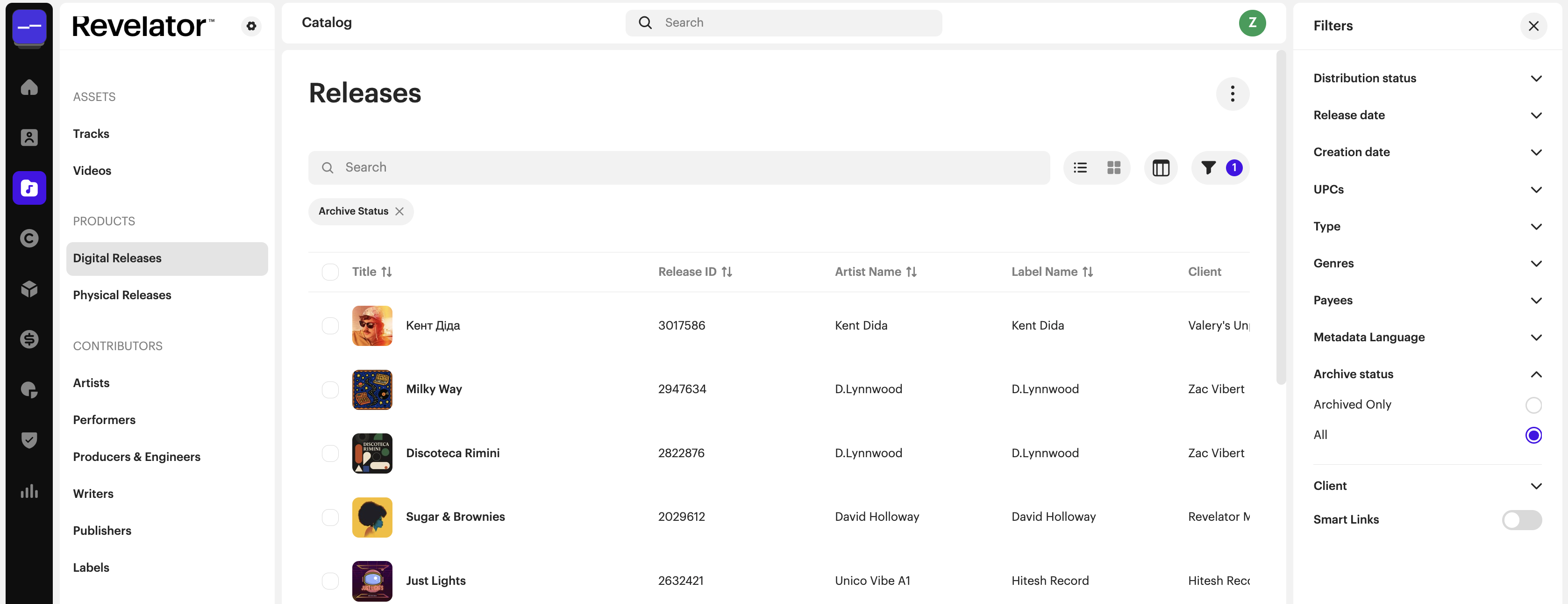
| NoteThe Releases page shows only active releases by default. To include archived releases in your export, set the Archive status filter to All before you export. |
FAQs
Can I export just archived releases?
Yes. Set the Archive status filter to Archived Only, then select Export filtered catalog metadata.
What's the difference between a filtered and a full export?
A filtered export only includes the releases that match your current filters. A full export includes every release in your catalog, regardless of what filters are applied.
Can I choose which columns appear in the export?
No. The export includes all available metadata fields. You can remove columns in Excel or Google Sheets after downloading.
My catalog is very large. Will the export still work?
Yes. If the download is slow, use filters to export your catalog in smaller batches.
How can I make sure all my metadata is included when I export a large catalog using filters?
Before downloading, check how many records match your selected filters. Once the download is complete, compare that number with the number of records in your downloaded file. The numbers should match exactly. If they don't, some data may be missing, so check your filters and try again.
How can I make sure my metadata stays accurate when I open the file in Excel or Google Sheets?
Excel and Google Sheets sometimes change data automatically without warning. For example, they may remove zeros at the beginning of a number, convert long numbers into scientific notation (such as 1.23E+12), or change date formats. To prevent this, import your file and set important columns, such as ISRCs and UPCs, to Text rather than Number.
Was this article helpful?
That’s Great!
Thank you for your feedback
Sorry! We couldn't be helpful
Thank you for your feedback
Feedback sent
We appreciate your effort and will try to fix the article