Use filters to find the releases you need, fast. The Filters panel lets you narrow your catalog by genre, release type, distribution status, dates, payees, and more. Combine filters to get to a specific set of releases in a few clicks.
| NoteThis guide uses Digital Releases as the example. The Filters panel is available and works the same way in other catalog views, such as Tracks or Videos, though the available filters may vary slightly. |
Open the Filters panel
- Go to Catalog → Products → Digital Releases in the left sidebar.
- Click the filter icon to the right of the search bar.
- Expand a filter and set your criteria.
The release list updates to match your filters.
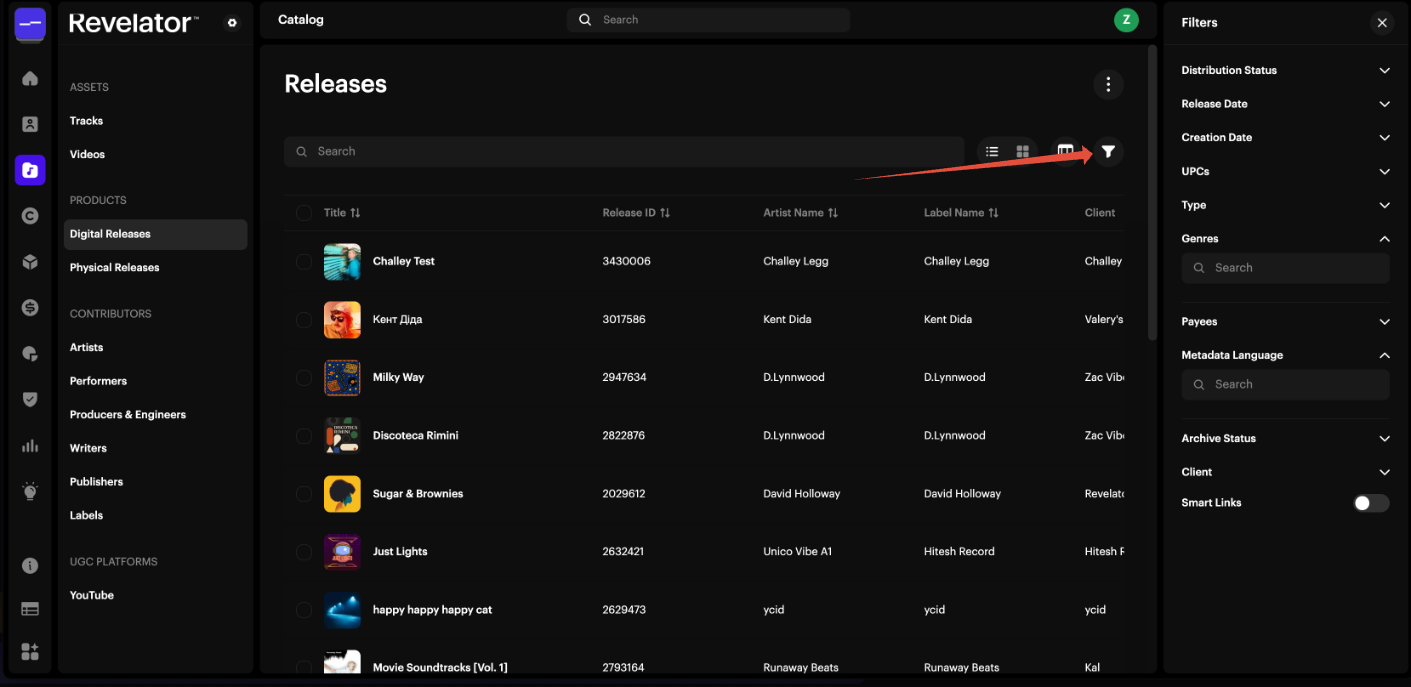
Available filters
| Filter | What it does |
|---|---|
| Distribution Status | Shows releases by their current distribution status, such as draft, delivered, or taken down. |
| Release Date | Shows releases by a single release date or a date range. |
| Creation Date | Shows releases by when they were created in your account, on a single date or across a date range. |
| UPCs | Finds specific releases. Paste one or more UPCs, separated by commas. |
| Type | Shows releases by format: Single, EP, Album, or Compilation. |
| Genres | Shows only releases in the genres you select. |
| Payees | Shows releases linked to the payees you select. |
| Metadata Language | Shows releases by their metadata language. |
| Archive Status | Shows active or archived releases. |
| Client | Shows releases for a specific client. This is useful if you manage releases across several clients or Workspaces. |
| Smart Links | When turned on, shows only releases that have a Smart Link. |
| TipFilters stack, so you can combine several at once. For example, select Type Single, a specific Genre, and a Release Date range to narrow a large catalog quickly. |
Example: filter by genre
- Open the Filters panel (see above).
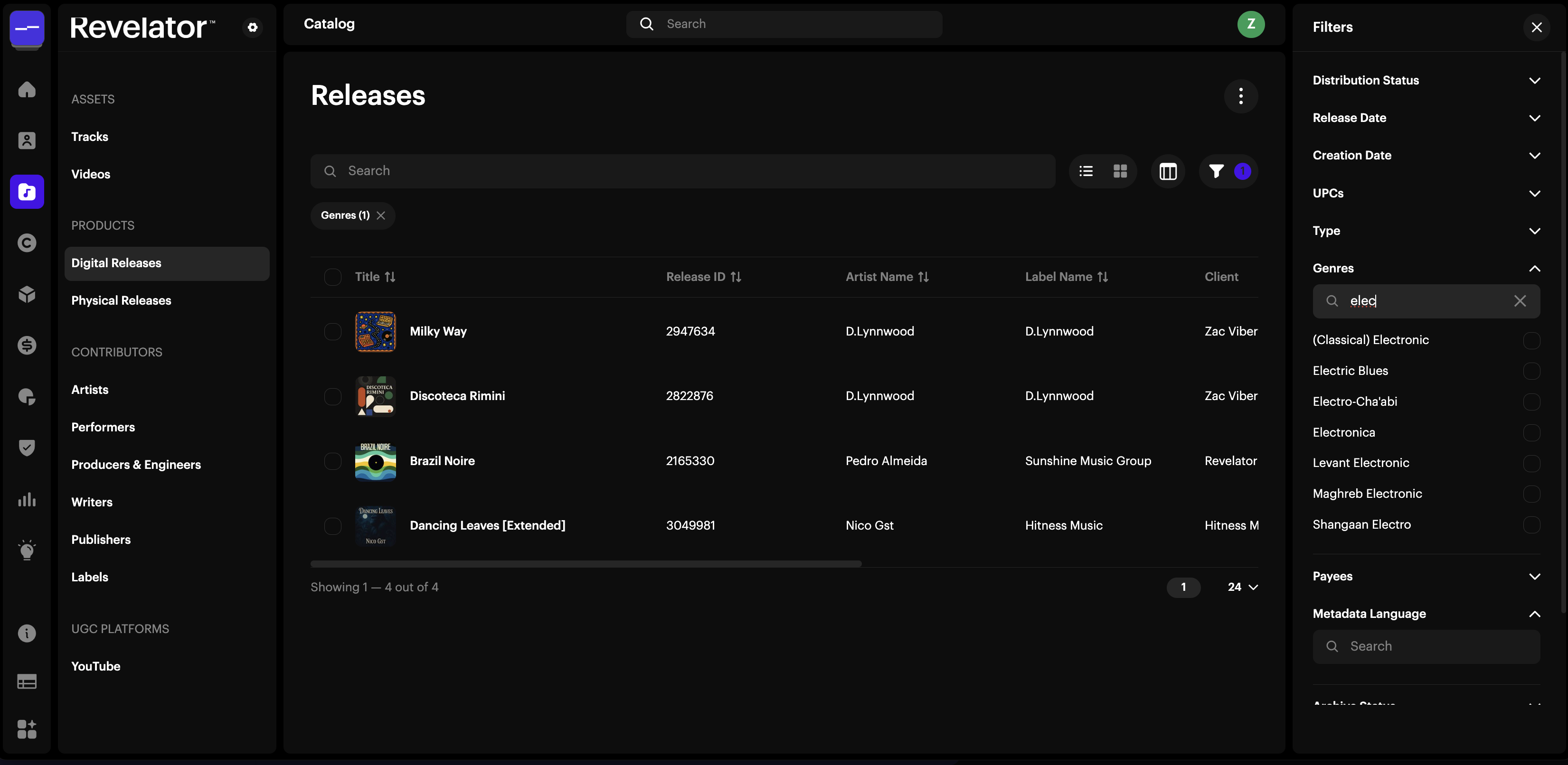
- Expand Genres.
- Select the genres you want to see.
The release list updates to show only matching releases.
Related articles
Was this article helpful?
That’s Great!
Thank you for your feedback
Sorry! We couldn't be helpful
Thank you for your feedback
Feedback sent
We appreciate your effort and will try to fix the article