Every track you create needs the right people credited in the right roles — not just for recognition, but because DSPs like Spotify and Apple Music increasingly require specific contributor and rights information before they'll accept a release. Revelator organizes contributors into clear role categories so your metadata stays consistent and DSP-compliant across your whole catalog.
Adding a contributor to a track
Open the track in Catalog → Tracks, or add contributors while creating a new track.
- Select Add Contributor and choose a role category.
- Search for an existing contributor or create a new one.
- Repeat for every person or entity involved in the track.
Contributors you create are saved to your account and reusable across your entire catalog — you won't need to re-enter the same producer or session musician on every track.

Writer and Publisher details
Writers and Publishers support richer metadata fields than other roles:
- ISNI — International Standard Name Identifier
- IPI / CAE — the identifying code used by PROs to track a writer's or publisher's works
- PRO affiliation — which performing rights organization the writer or publisher is registered with
- Country
Important: a Producer or Engineer credit is required. Every release needs at least one Producer or Engineer credited before it can be delivered to Spotify and Apple Music — this is now a mandatory metadata requirement on both platforms, not an optional best practice. If you skip this field, your release may be rejected or delayed at inspection.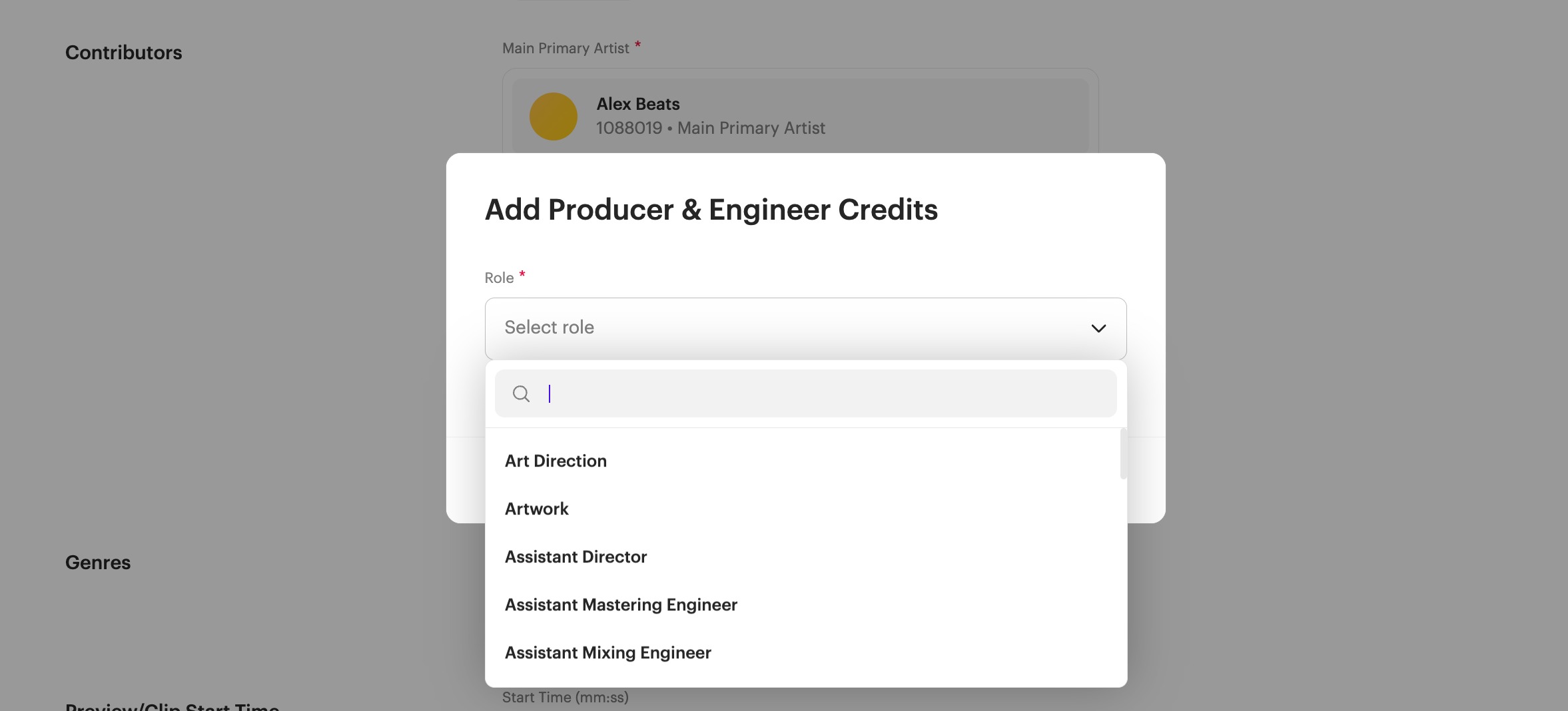 |
Track-level vs. release-level credits
Performer credits (session musicians and instrumentalists) are set at the track level, since different tracks on the same release may have different players.
Writer, Publisher, and Producer/Engineer credits typically apply per track as well, so double-check that every track on a multi-track release has its own complete contributor list.
Related articles
Was this article helpful?
That’s Great!
Thank you for your feedback
Sorry! We couldn't be helpful
Thank you for your feedback
Feedback sent
We appreciate your effort and will try to fix the article