Distribution plans are rarely identical across platforms or territories. Commercial strategies, bonus tracks, and release plans often vary by DSP, territory, or individual track.
With the new Territory & DSP Availability Controls, you can define exactly where each release and each track within it is delivered, all from a single release. No duplication. No manual workarounds.
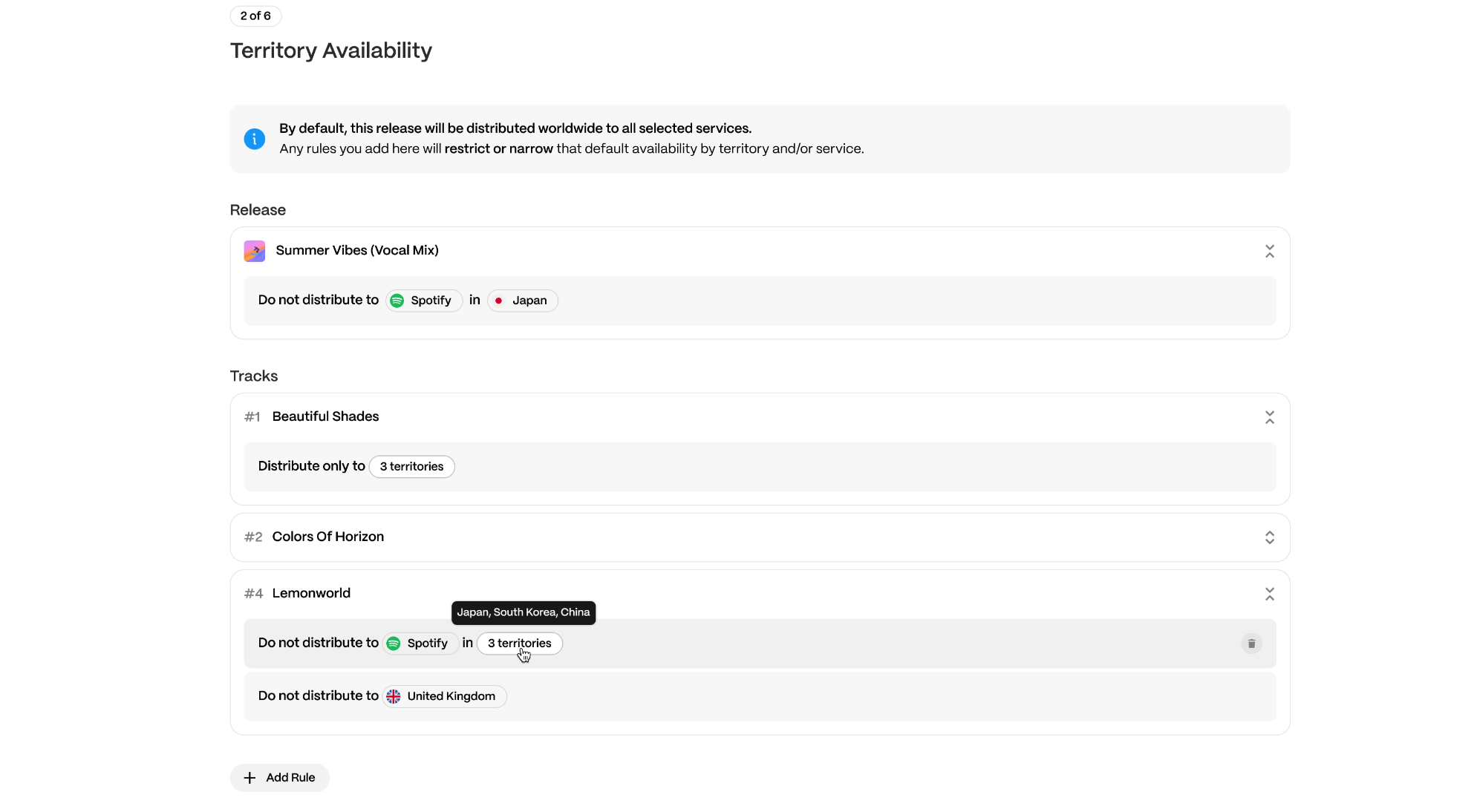
How territory availability works
- If no rules are added, the release is delivered worldwide to all selected services.
- Each rule you add restricts that default availability.
- Rules define where specific tracks or the full release should be included or excluded.
You can review the final availability before anything is delivered.
How to add a distribution rule
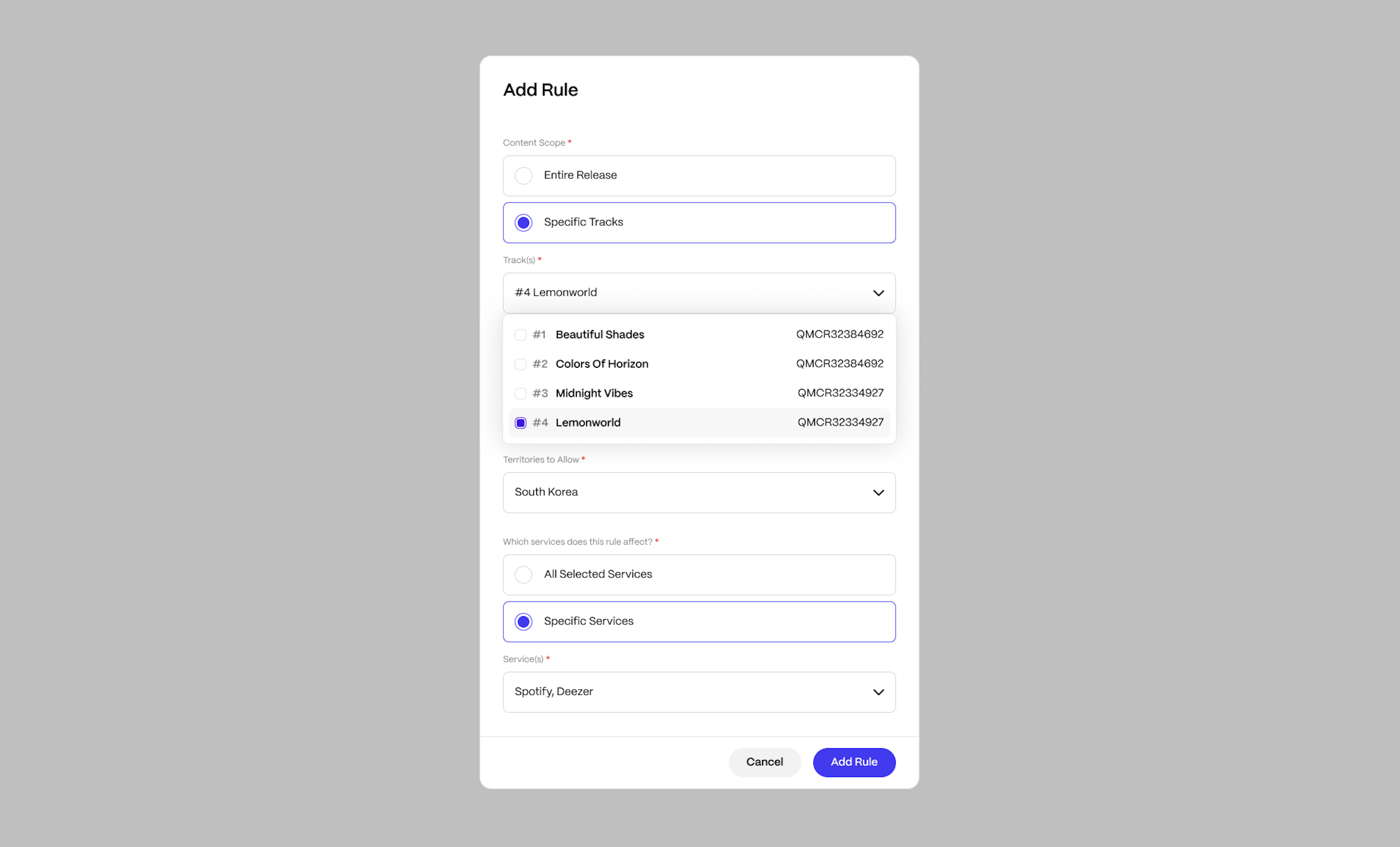
- Open Territory Clearances.
- Click Add Rule.
- Choose the rule scope:
- Entire Release
- Specific Track (one track per rule)
- Choose how territories are handled:
- Exclude from specific territories
- Limit to specific territories
- Choose which service the rule applies to (select one service per rule).
- Click Add Rule.
| Note You can create multiple rules, but each rule applies to a single track and a single service. If a rule already exists for the same track and service, you must edit the existing rule rather than create a duplicate. |
Using track-level rules
Track-level rules are used when only certain tracks require different availability. Common use cases include:
- Bonus tracks
- Regional exclusives
- Tracks with limited licensing
When a rule is scoped to a Specific Track, only that track is affected. All other tracks continue to follow the release-level availability unless separate rules are added.
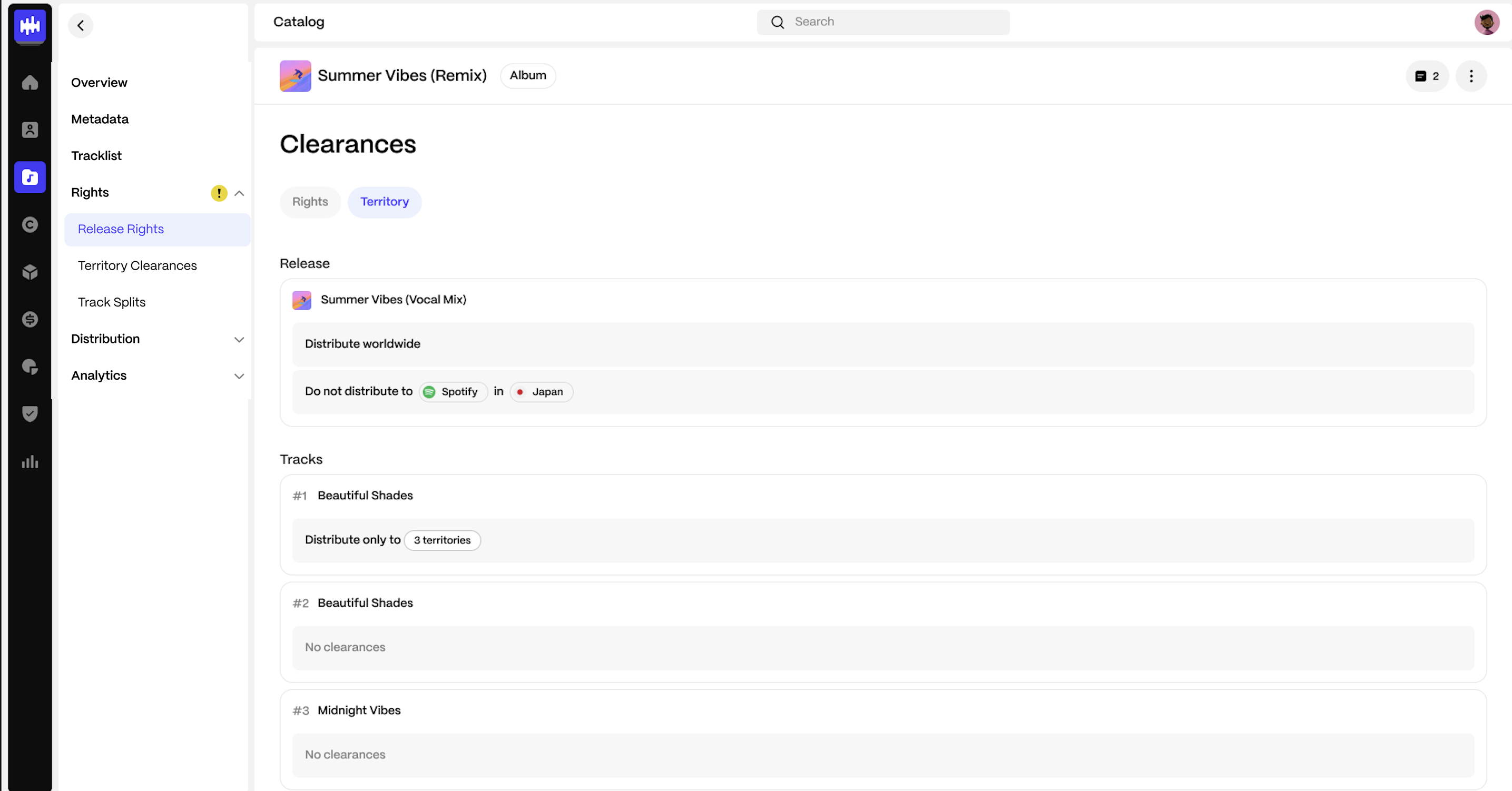
Reviewing your availability rules
All configured rules are displayed in the Territory Clearances view. You can:
- See release-level rules at the top.
- See track-level rules grouped by track.
- Remove rules if needed.
What happens at delivery
The system applies your configured availability rules and delivers content only to the selected territories and services.
There is no need to create duplicate releases to manage regional or track-specific availability.
FAQs
What happens if I do not add any rules?
The release is delivered worldwide to all selected services.
Can I mix release-level and track-level rules?
Yes. Release-level rules apply to the entire release. Track-level rules apply only to the selected track.
Can I change availability after distribution?
Yes. You can update availability rules and re-deliver to apply changes to live services.
Can I add multiple rules for the same track and service?
No. Only one rule per track and service combination is allowed. If you need to adjust availability, edit the existing rule.
Was this article helpful?
That’s Great!
Thank you for your feedback
Sorry! We couldn't be helpful
Thank you for your feedback
Feedback sent
We appreciate your effort and will try to fix the article