UGC Monetization Controls allow you to define how your music should be handled across TikTok, YouTube Content ID, and Facebook Rights Manager, either at the release level or per track.
These settings are applied during distribution. You can review the policies for each track and platform under Rights → UGC Monetization Policies in the release navigation.
Release-level vs track-level policies
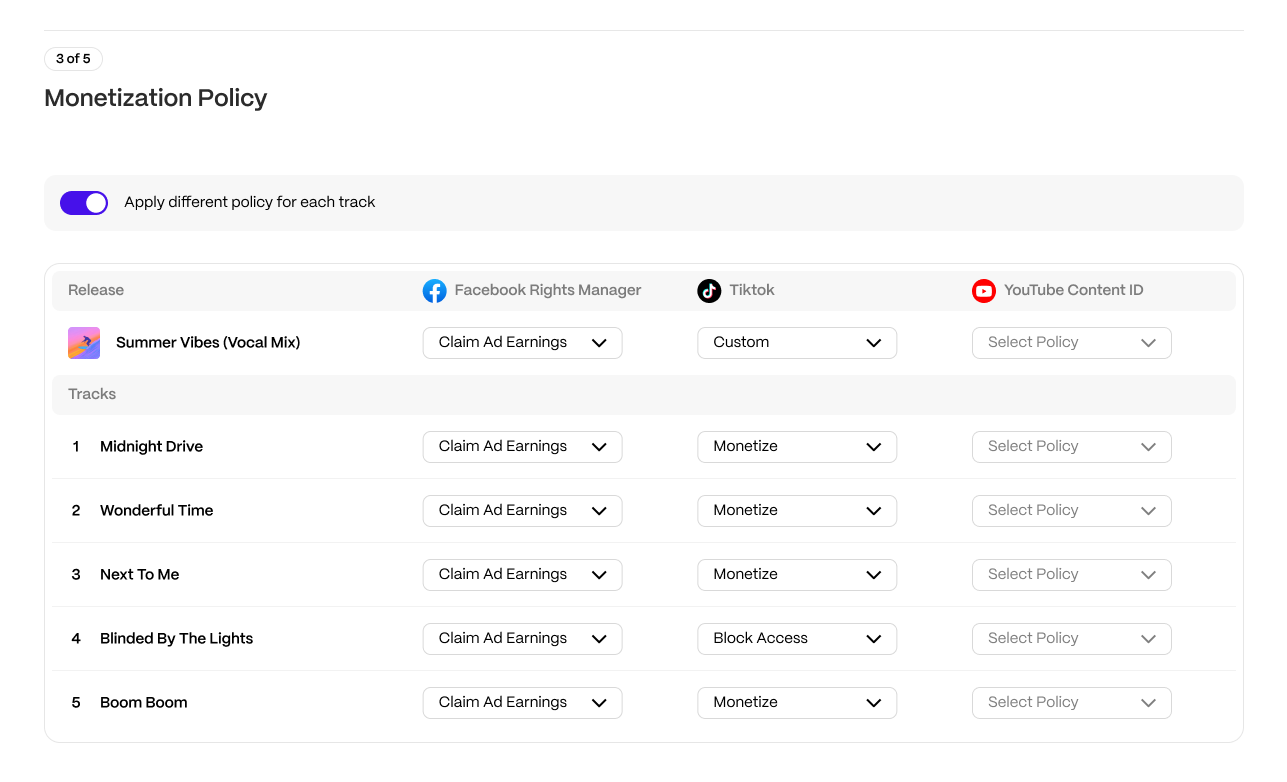
By default, monetization policies are applied at the release level.
To enable track-level control during distribution:
- Go to Monetization Policy.
- Enable Apply different policy for each track.
When enabled, the interface switches to a track-by-track table where policies can be selected individually.
Important
|
Understanding monetization policies
Each UGC platform supports different policies. These policies determine how the platform handles your music when it is found in someone else's video. Not all music is eligible for these services; check Track Properties and the eligibility requirements below.
Facebook Rights Manager
| Policy | What it does |
|---|---|
| Claim Ad Earnings | Facebook/Instagram will scan for matches and monetize videos that use this track. |
| Monitor | Facebook/Instagram will scan for matches and report analytics, but will not monetize. |
| Block | Facebook/Instagram will scan for matches and block videos that use this track. |
| Not Eligible | The track will not be delivered to Facebook/Instagram Rights Manager. |
TikTok
| Policy | What it does |
|---|---|
| Monetize | The track will be available in TikTok's library. TikTok will scan videos for matches and monetize them. |
| Library only | The track will be available in TikTok's library, but TikTok will not scan user videos for matches. |
| Block | The track will be available in TikTok's library. TikTok will scan videos for matches and block them. |
| Not Eligible | The track will not be delivered to TikTok. |
YouTube Content ID
| Policy | What it does |
|---|---|
| Monetize in all countries | YouTube will monetize matching videos worldwide. |
| Track in all countries | YouTube will identify matching videos worldwide and provide reporting, but will not monetize them. |
| Not Eligible | The track will not be delivered to YouTube Content ID. |
If you need a custom YouTube Content ID policy, please contact support.
UGC eligibility requirements
WarningAll recordings distributed to UGC platforms must:
These requirements apply regardless of the monetization policy selected. |
After distribution: reviewing applied policies
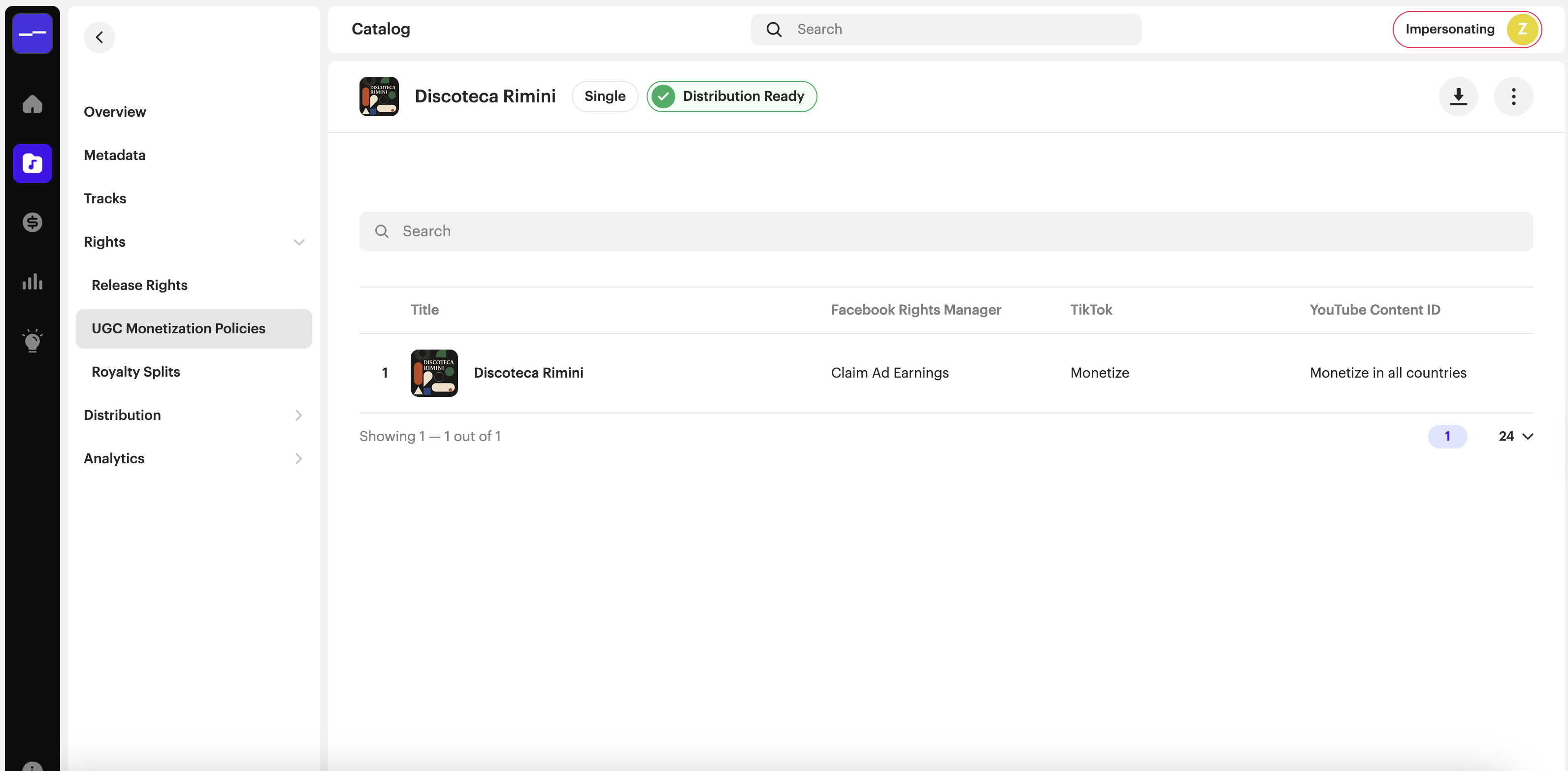
To review the UGC monetization policies for a release:
- Go to Catalog and open the release.
- Expand Rights in the release navigation.
- Select UGC Monetization Policies.
FAQs
Can I apply track-level monetization to only one UGC platform?
No. Track-level monetization is enabled per release. When enabled, all supported UGC platforms switch to track-level mode.
Where can I review a release's UGC monetization policies?
Open the release in Catalog, then go to Rights → UGC Monetization Policies. Before distribution, configure the policies during the distribution flow.
What happens to releases created before track-level monetization was available?
Nothing changes for those releases. They keep their original release-level monetization policies. If you edit or re-distribute a release, you can choose to enable track-level monetization at that point and re-deliver the release with the updated policies.
Related articles
Was this article helpful?
That’s Great!
Thank you for your feedback
Sorry! We couldn't be helpful
Thank you for your feedback
Feedback sent
We appreciate your effort and will try to fix the article