Streaming, download, and UGC rights can differ from track to track. Some tracks may stream but cannot be sold as downloads. Others may allow downloads but not streaming.
With Release Rights, you define which formats are permitted for your release before distributing it to DSPs.
Release Rights settings determine what services will be available when you begin the distribution process.
If all tracks can be streamed, downloaded, and delivered to UGC platforms without restriction, no action is required.
Where to Access Release Rights
You can access Release Rights in two ways:
From the Release Summary, click Set Release Rights
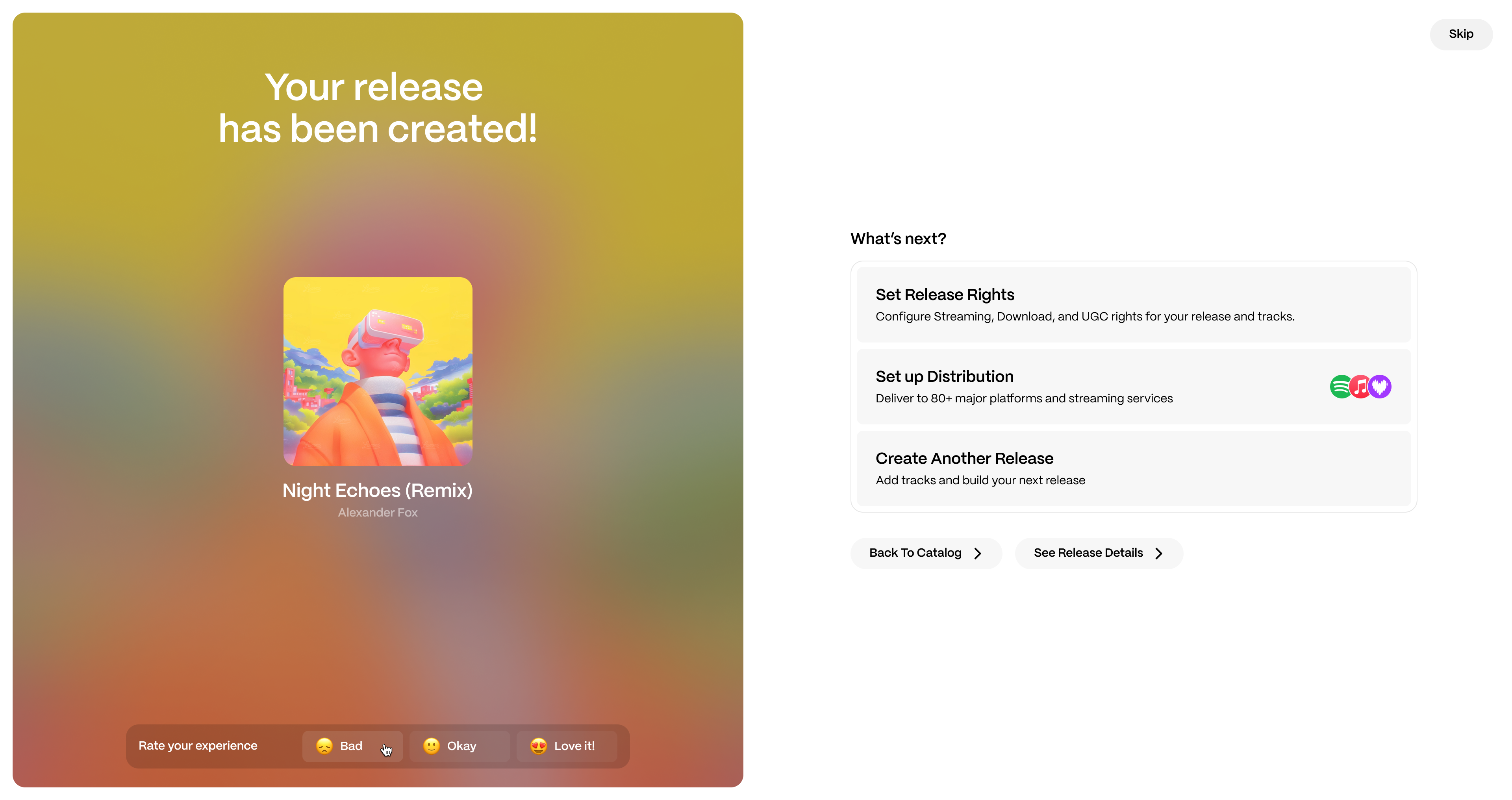
Or go to Catalog → Rights → Release Rights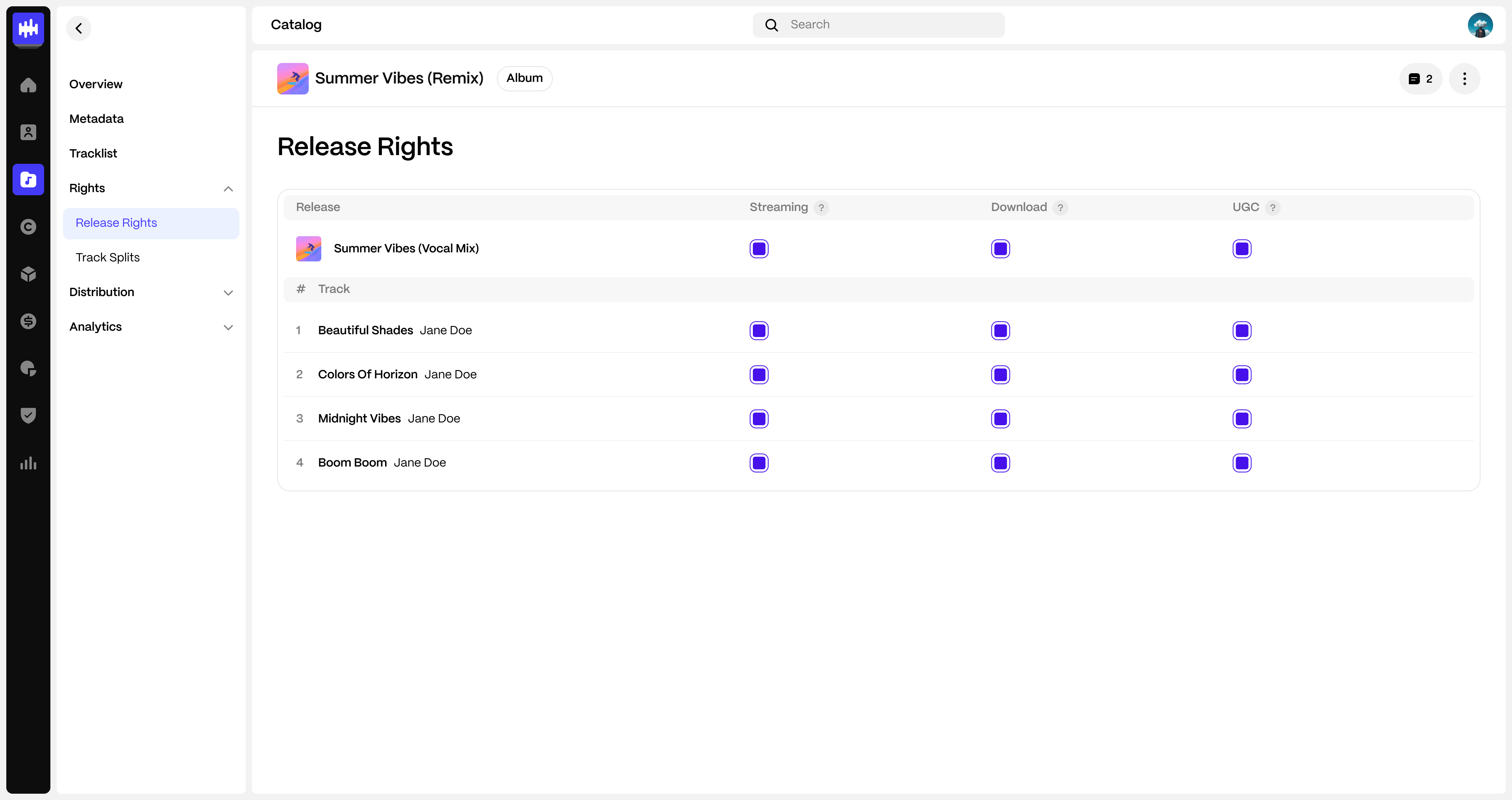
How to Configure Release-Level Rights
- Open Catalog → Rights → Release Rights
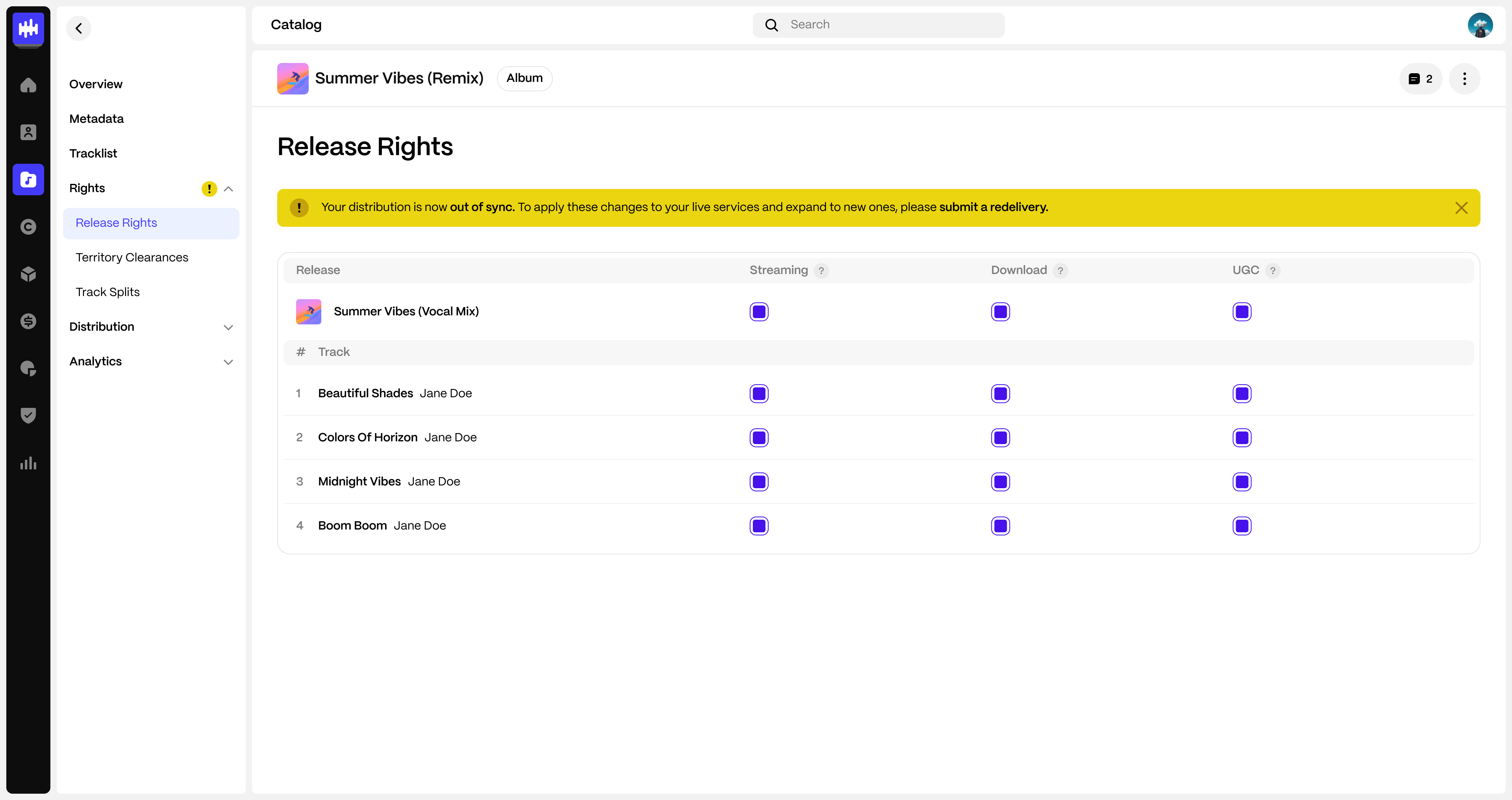
- In the matrix:
- Enable or disable Streaming
- Enable or disable Download
- Enable or disable UGC
- Click Save
If you disable a format at the release level, it applies to all tracks unless track-level overrides are configured (Streaming and Download only).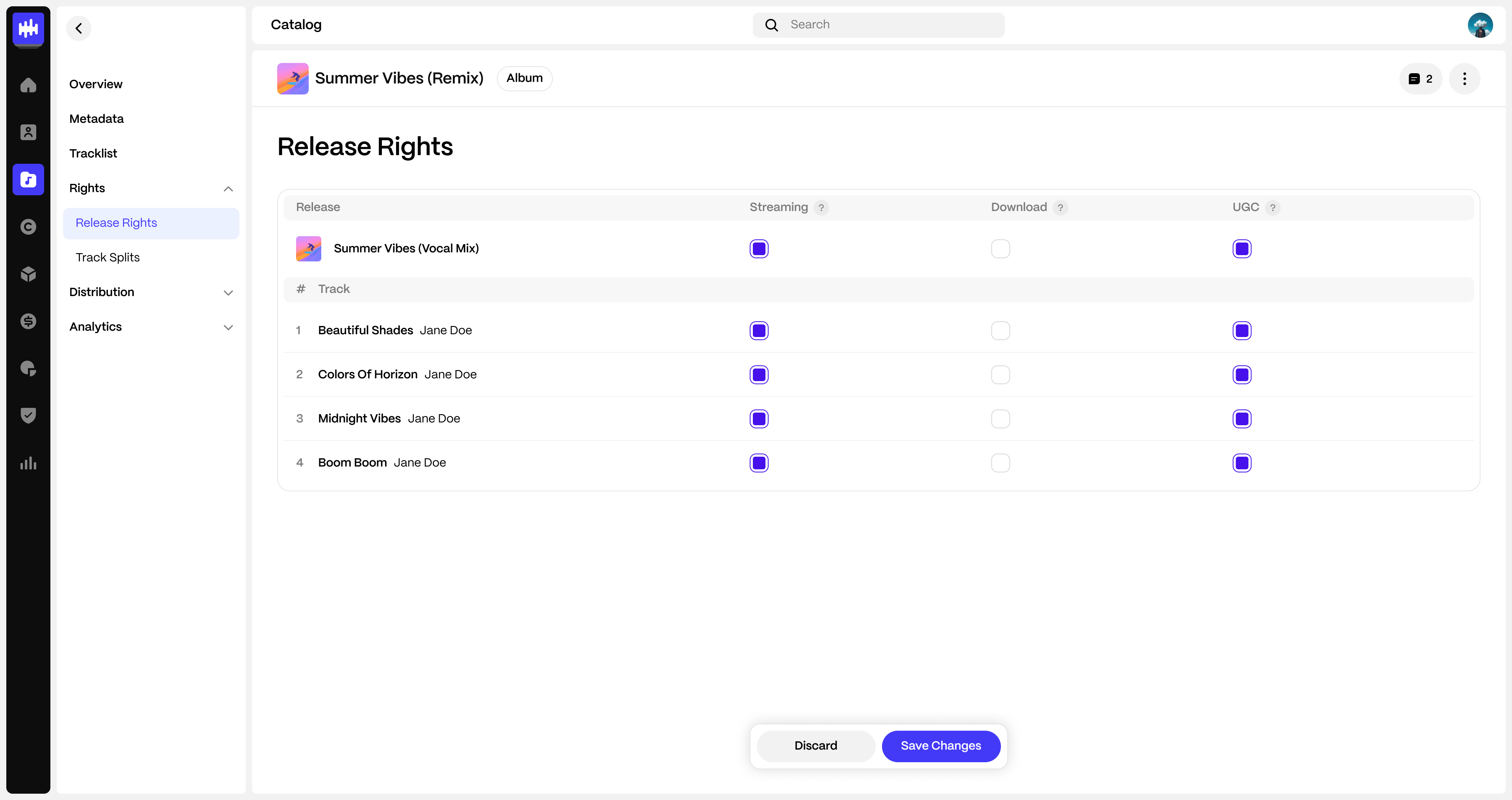
How to Set Different Streaming or Download Rights Per Track
Use this when individual tracks require different configurations.
- Open Catalog → Rights → Release Rights
- Leave the format enabled at the release level
- Adjust Streaming or Download for specific tracks as needed
- Click Save
Note: If Streaming is enabled at the release level, at least one track must remain enabled for Streaming.
How UGC Works
UGC follows specific rules:
- UGC can only be configured at the release level.
- It is either enabled for the entire release or disabled entirely.
- Track-level UGC configuration is not available.
- If UGC is disabled, UGC-only services (such as TikTok, Facebook, and YouTube Content ID) will not be available during distribution.
For information on UGC monetization configuration, see:
How to Set UGC Monetization Policies Per Track and Platform
How Release Rights Affect Distribution
Release Rights define which services are available when distributing.
- When you enter the Distribution flow, the service list reflects the Release Rights you have configured.
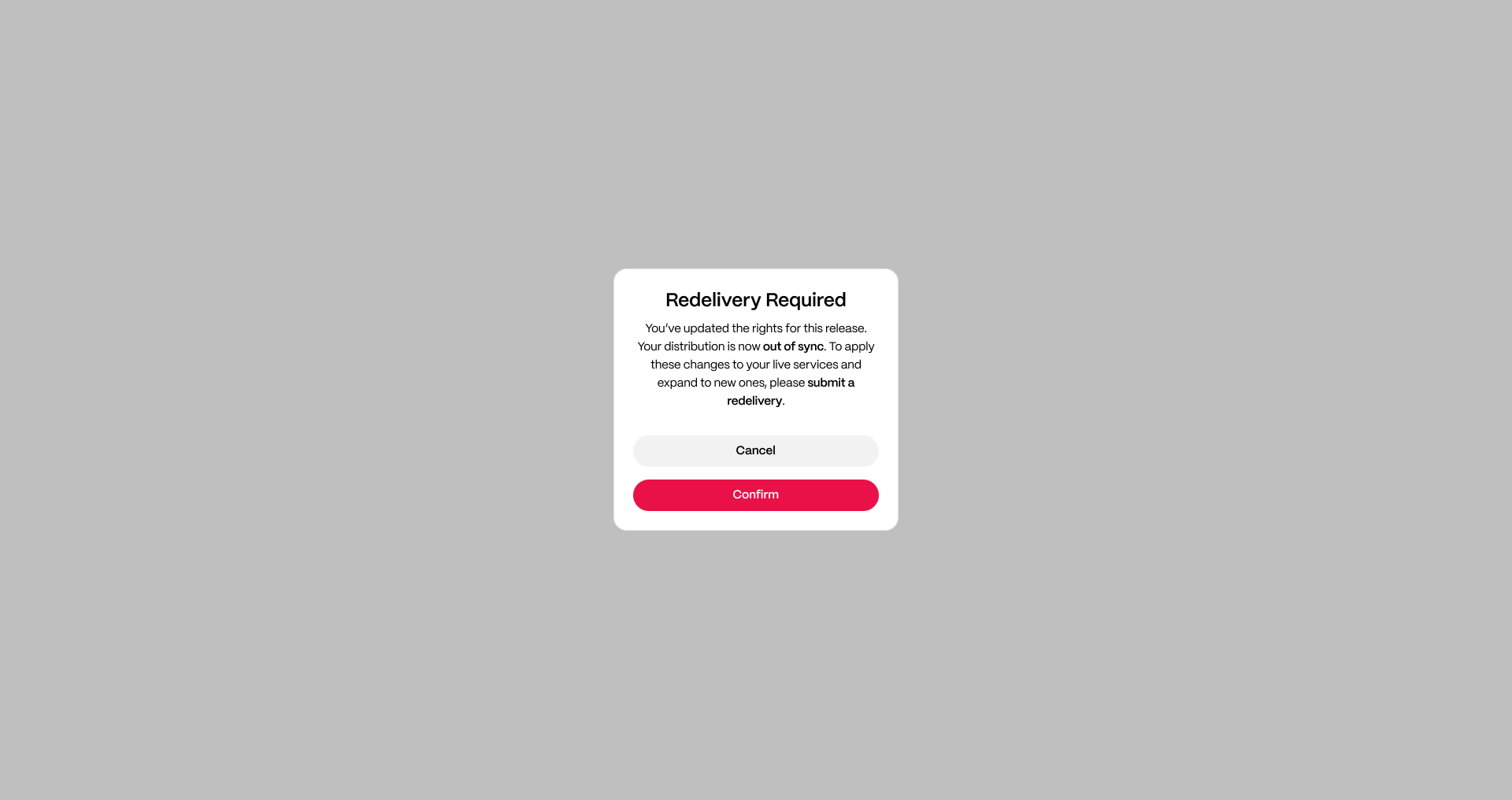
- If you update Release Rights after distributing, the system will show that your distribution is out of sync.
- To apply changes to live services, you must re-deliver the release.
How to Review Release Rights
You can review (and edit) Release Rights at any time from the release page:
- Go to Catalog
- Open the release
- Go to the Rights tab
- Open Release Rights
- Review the Streaming, Download, and UGC configuration at the release and track level
FAQ
Why is one track missing on a service?
That track may have Streaming or Download disabled at the track level.
Why does a DSP not appear during distribution?
The service may not be eligible based on your configured Release Rights.
Will changing Release Rights automatically update stores?
No. Changes take effect only after re-delivery.
Was this article helpful?
That’s Great!
Thank you for your feedback
Sorry! We couldn't be helpful
Thank you for your feedback
Feedback sent
We appreciate your effort and will try to fix the article