Revelator has partnered with Feature.fm, a leading platform for music marketing, to help you create smart links and pre-save pages directly from your Revelator dashboard.
Whether you're preparing for a new release or promoting one that's already live, Feature.fm smart links help you market your music more effectively with less manual work.
What are smart links and why do they matter?
Smart links combine all major streaming and purchasing platforms into a single, customizable link. They're designed to:
- Increase streams by directing fans to their preferred platforms.
- Boost engagement by tracking fan behavior and interactions.
- Simplify promotion by consolidating everything into one shareable link.
Turn on Feature.fm
Before you begin
|
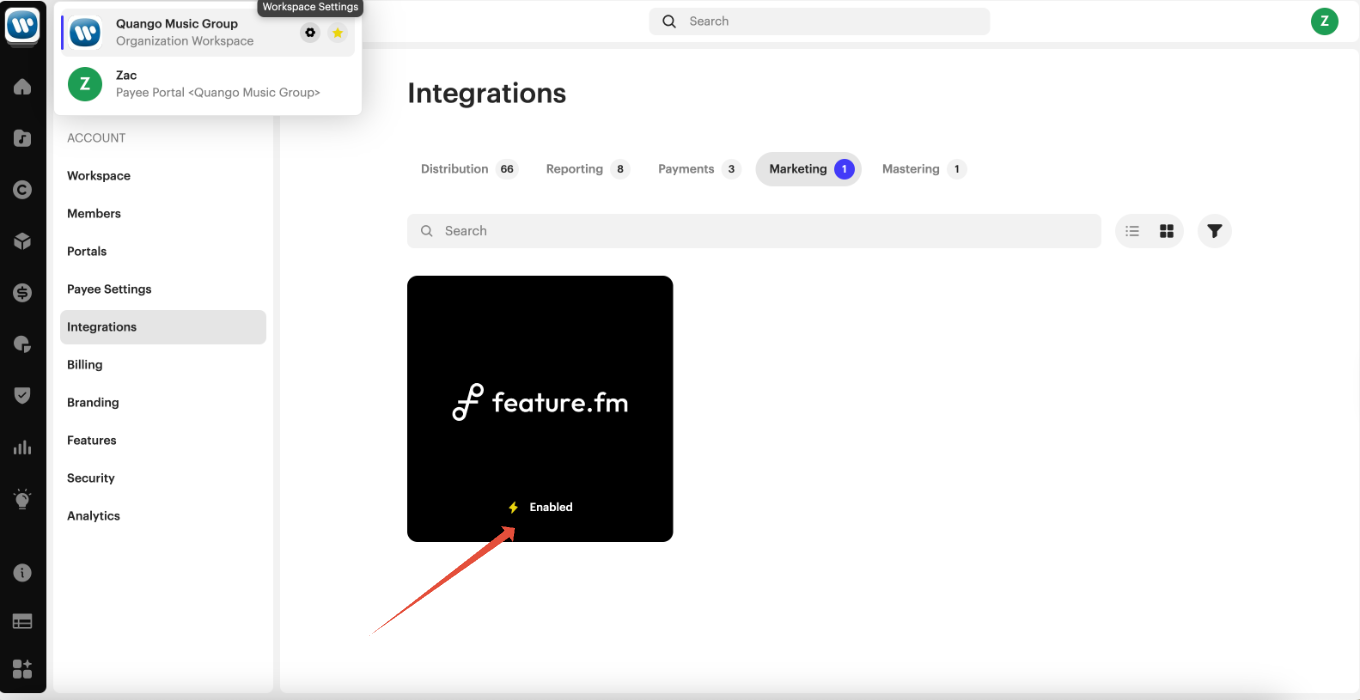
- Open your Organization Workspace and go to Settings → Integrations → Marketing.
- Select Feature.fm and click Enable.
Watch how to set up Feature.fm and create smart links
Customize your smart link URL
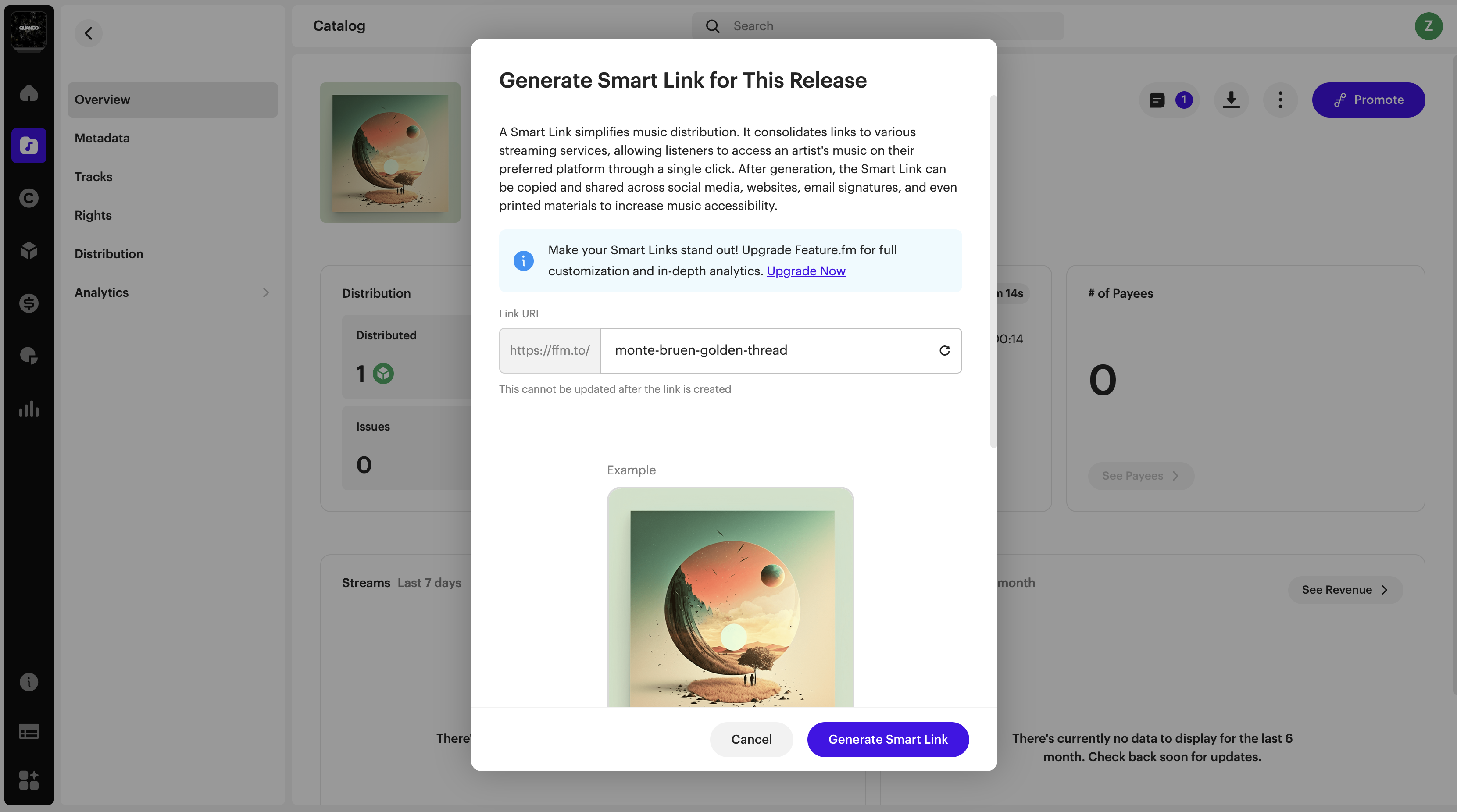
You can edit the URL slug (the part after ffm.to/) directly in Revelator. This gives you:
- Better branding (for example, ffm.to/mynewalbum)
- More control over how your links appear
- Greater shareability across your campaigns
| Warning Once the smart link is created, you can't edit the URL slug. Finalize your custom slug before generating the link. |
Connect your own Feature.fm account
| Note Skip this section if you're using Revelator's Feature.fm account. |
This section is for distributors that have their own Feature.fm master account. Feature.fm sets up this account for you, with a separate workspace for each of your clients.
If you don't have one, there's nothing to do here. Your setup stays the same.
Choose an account
When you turn on Feature.fm, choose which account new client workspaces are created in.
- Revelator's Feature.fm account: This is the default, and there's nothing to set up.
- Your own Feature.fm master account: Connect it to manage your clients' workspaces and smart links in your own account.
You can switch from Revelator's Feature.fm account to your own master account at any time. Existing client workspaces stay in the account they were created in.
| Revelator's Feature.fm account | Your Feature.fm master account | |
|---|---|---|
| Best for | Labels and accounts that want smart links with no setup | Distributors with a Feature.fm master account |
| Setup | Nothing to set up. Revelator manages the connection. | Enter a signing key and issuer from Feature.fm |
| Client workspaces | Each client manages its own workspace and links | New client workspaces are created under your account, and you can see and manage all of them in Feature.fm. Existing client workspaces stay under Revelator's account. |
| Branding and data | Managed in each client's workspace | You own the workspaces and their data, and set branding, retargeting pixels, and defaults |
| Feature.fm plans | Clients can upgrade their Feature.fm plans on their own | You manage plans and access for your clients |
Connect your Feature.fm account
Before you begin
|
- Open Workspace Settings → Integrations → Marketing, then click the feature.fm card.
- Click Continue.
- Select Your own Feature.fm account.
- Paste your key into Signing key.
- Enter your domain in Issuer.
- Click Connect & Enable.
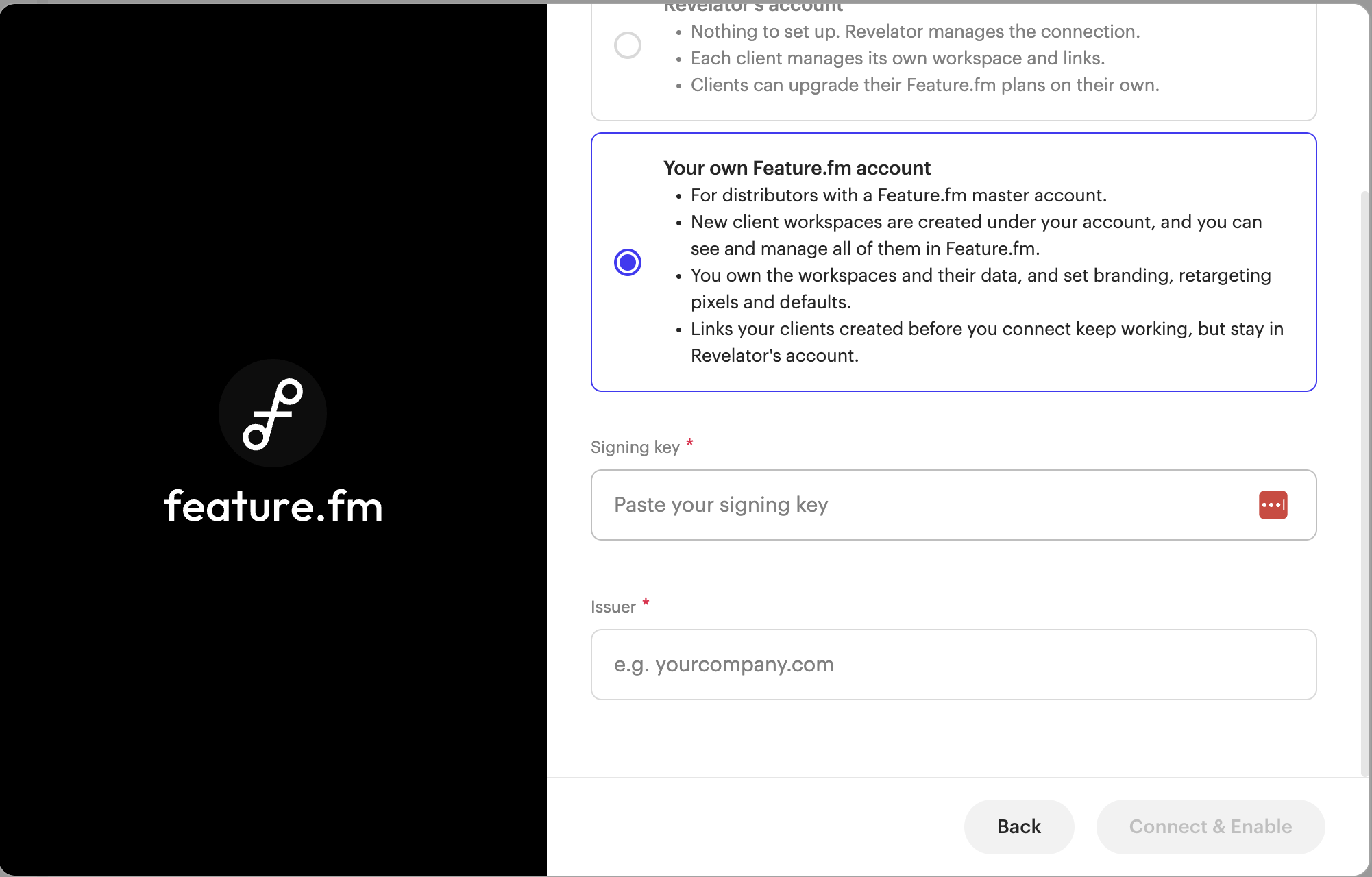
Revelator checks your signing key and issuer with Feature.fm before saving them. When the connection works, you see You're connected to Feature.fm.
Once you're connected:
- New clients use your account. Clients who set up Feature.fm after you connect get a workspace in your Feature.fm master account, and their smart links are created there.
- Existing clients stay with Revelator. Clients who already have a workspace under Revelator's Feature.fm account stay there, and their links keep working. Moving these workspaces to your account isn't available yet.
What your clients see
For clients whose workspace is in your Feature.fm master account, the Feature.fm card shows Your Feature.fm workspace is managed by [your account name].
For them:
- Promote using links as before.
- Their workspace sits in your Feature.fm account, so you can see their links and help them.
- You manage their Feature.fm plans and access, so they contact you about extra Feature.fm tools or adding team members.
Troubleshooting
If Revelator can't connect your Feature.fm account, you'll see one of these messages:
| Message | What to do |
|---|---|
| Enter both the signing key and the issuer. | Fill in both fields. Both are required. |
| The signing key should be 32 to 512 characters. Check that you copied all of it. | Copy the full key again from the details Feature.fm sent you. |
| Feature.fm didn't accept this signing key and issuer. Check both, or ask your Feature.fm account manager. | Check that the issuer matches what Feature.fm gave you. If it still fails, contact your customer success contact at Feature.fm. |
FAQ
Why don't I see the Promote button?
Check that Feature.fm is turned on in your Organization Workspace (parent account) integrations, and that your user has the correct permissions. You must be the owner of your Client Workspace (child account).
What is a Feature.fm master account?
An account that Feature.fm sets up for distributors. It holds a separate workspace for each of your clients, and you own those workspaces and their data. You can also manage your own users and teams, and use custom branding.
How do I get a master account?
Contact your customer success contact at Feature.fm. They set up the account and give you your Signing key and Issuer.
What happens to my existing clients when I connect my own account?
Nothing moves. Clients that already had a Feature.fm workspace under Revelator's Feature.fm account stay there, with their links and analytics, while their Feature.fm plan is active. Only clients that set up Feature.fm after you connect get a workspace in your master account. We're working with Feature.fm on a way to move existing workspaces, but it isn't possible yet.
Can I switch back to Revelator's account?
Yes. Open the feature.fm card and select Remove key. New clients then get their workspace under Revelator's Feature.fm account. Client workspaces already set up in your master account don't move back. They stay there with their links and analytics, while your Feature.fm plan is active.
Where can I see smart link and pre-save results?
In Feature.fm. Smart link and pre-save results aren't shown in Revelator Analytics.
Related articles
Was this article helpful?
That’s Great!
Thank you for your feedback
Sorry! We couldn't be helpful
Thank you for your feedback
Feedback sent
We appreciate your effort and will try to fix the article