When you migrate your catalog to Revelator, track linking is what lets your releases keep their existing stream counts, playlist placements, and listener history on Spotify. This article explains how it works, how to protect it during your migration, and how to confirm it worked.
| Note This guide applies while you're migrating a catalog from another distributor to Revelator. The goal is for Spotify to link the new delivery from Revelator to your existing release, so no streaming history is lost. |
What is track linking?
Track linking is a Spotify feature that lets the same recording be re-delivered without losing its streams. When a new version of a track is delivered, Spotify automatically checks for existing versions of that recording. If it finds a match, it links the two and merges their play counts, so the combined total appears on both. During a migration, this is how the history from your previous distributor's delivery carries over to the new delivery from Revelator.
Linking depends entirely on Spotify recognising the new delivery as the same recording — which comes down to consistent metadata.
How to keep your tracks linked
For Spotify to match the new delivery to your existing release, the metadata must stay identical. Until your migration is complete, do not change any of the following fields — any discrepancy reduces the chance of a successful link.
For tracks
- ISRC
- Audio
- Length
- Title
- Title Version
- Artists
- Lyrics Language
- Parental Advisory
For releases
- Track Count
- Metadata Language
| Important The ISRC is the single most important field — it's how Spotify identifies a recording. If you're tempted to clean up titles or artist credits during migration, wait until after linking is confirmed. |
Verifying track linking on Spotify
Once Revelator has delivered your catalog, you can confirm linking directly on Spotify:
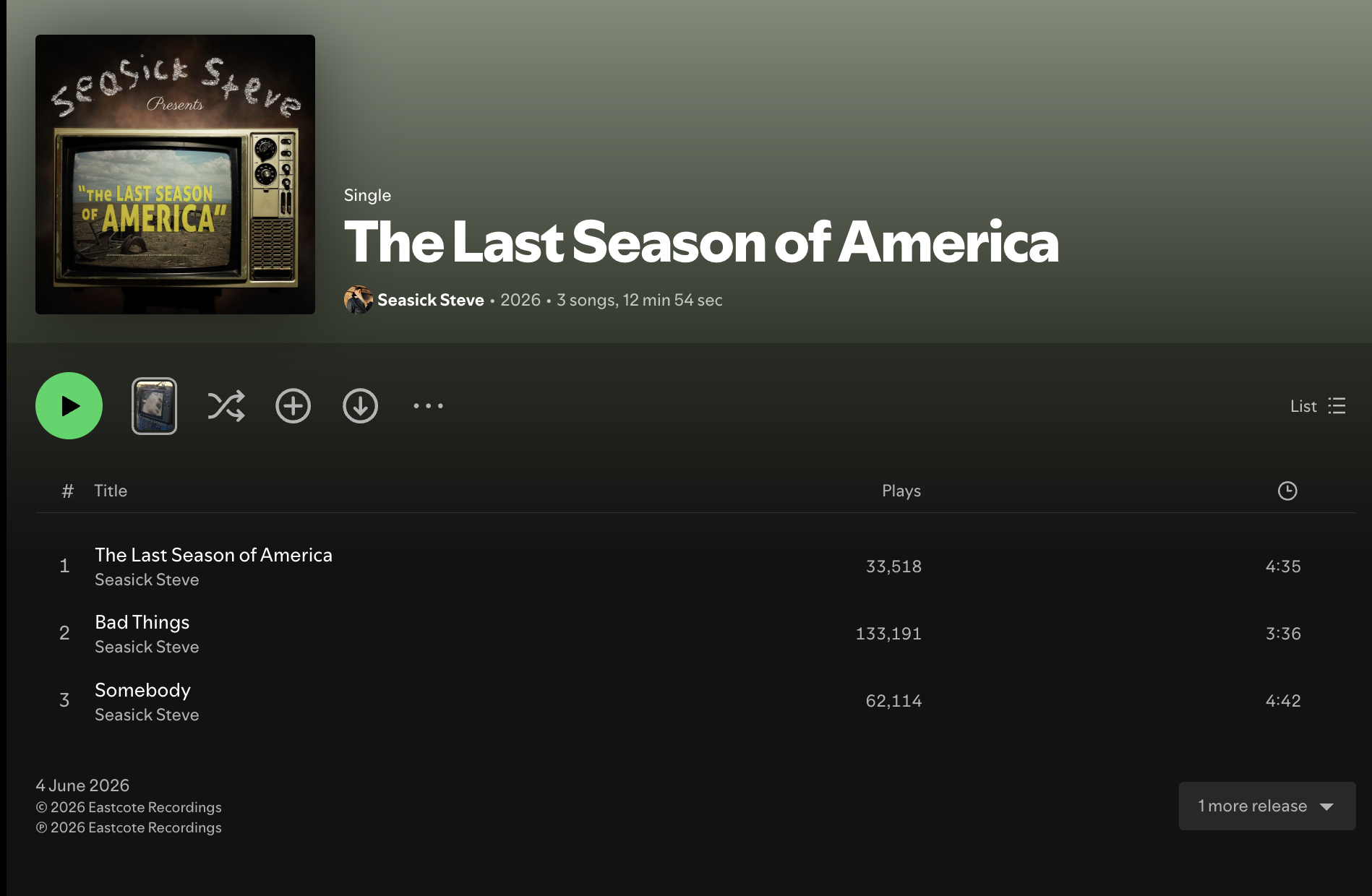
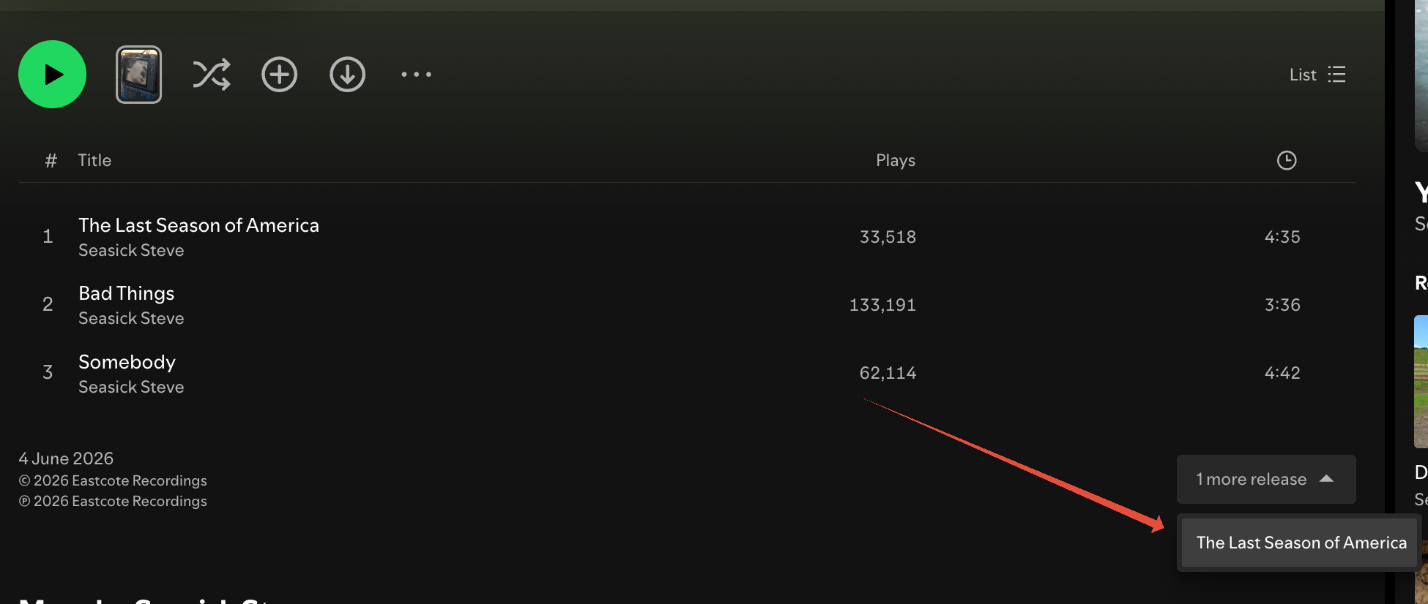
- Search Spotify for your release. You should find two instances of it — the old one (from your previous distributor) and the new one (delivered by Revelator).
- Use the “1 more release” expander at the bottom-right of the release page to switch between the two instances.
- Compare the play count of each track across both instances. If the counts match, your tracks have linked successfully and the history is preserved.
| Tip If you have too many tracks to check individually, focus on your top-performing tracks. Spotify does not offer a bulk way to confirm linking, so spot-checking your biggest releases is the most practical approach. |
Once your tracks are linked
When play counts match on both instances, you can issue a takedown of the release from your previous distributor.
| Warning If your previous distributor was also using Revelator to deliver their catalog, do not issue a takedown — this could remove both instances. Contact us instead and we'll handle it. |
If the play counts do not match after linking should have completed, let us know which ISRCs or Spotify track URIs are affected and we'll investigate.
Frequently asked questions
How long does linking take?
Linking is not instant. Play counts can take up to about a week to merge after delivery, so allow time before concluding that tracks haven't linked.
Will I lose streams if I migrate?
Not if the tracks link correctly. Keeping the fields above unchanged gives Spotify the best chance to match the new delivery to your existing release and merge the play counts.
What if my tracks don't link?
Send us the affected ISRCs or Spotify track URIs. Discrepancies in metadata — especially ISRC, title, artist, or length — are the most common cause, and we can help identify what to correct.
Related articles
Was this article helpful?
That’s Great!
Thank you for your feedback
Sorry! We couldn't be helpful
Thank you for your feedback
Feedback sent
We appreciate your effort and will try to fix the article