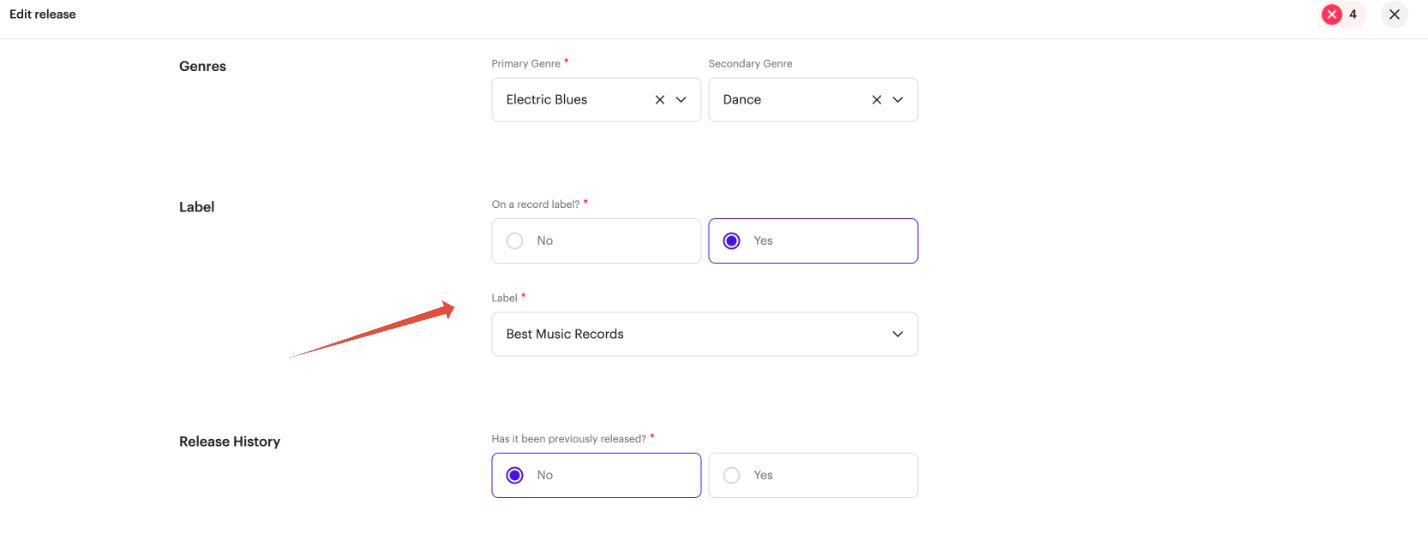
Revelator displays your release’s label name as the credit on YouTube Art Tracks. You set it by entering the Label Name when you create your release, and Revelator delivers it as the release display label name — the credit fans see on the Art Track.
How to set your label name
- When creating your release, enter the name you want shown in the Label Name field.
- Deliver the release to YouTube Music as normal. Revelator sends the Label Name as the display credit for the Art Track.
This is how your release will appear on YouTube with the Label Name set.

What is an Art Track?
An Art Track is an automatically generated YouTube version of a track on a music album. It consists of the sound recording and the album art. The purpose of Art Tracks is to provide a YouTube version of every track on every album.
| ImportantThe appearance of a label name is only valid for art tracks — it does not apply to Content ID claims. YouTube no longer displays the claimant's name publicly under a claimed video on youtube.com. However, the video's channel owner will see the claimant's name in their private YouTube studio, and if you are using Revelator's YouTube deal, the claimant will appear as [Merlin] Revelator. This cannot be changed; this is simply how YouTube functions. |
Related articles
Related articles
Was this article helpful?
That’s Great!
Thank you for your feedback
Sorry! We couldn't be helpful
Thank you for your feedback
Feedback sent
We appreciate your effort and will try to fix the article