If you're setting up a pre-save campaign or pitching a release and need DSP URIs or IDs, you can now get your Spotify release ID yourself in Revelator. For other DSPs, Revelator Support can provide them for you. These identifiers become available once your release has been delivered to the DSP.
Before you begin
|
How to get your Spotify release ID
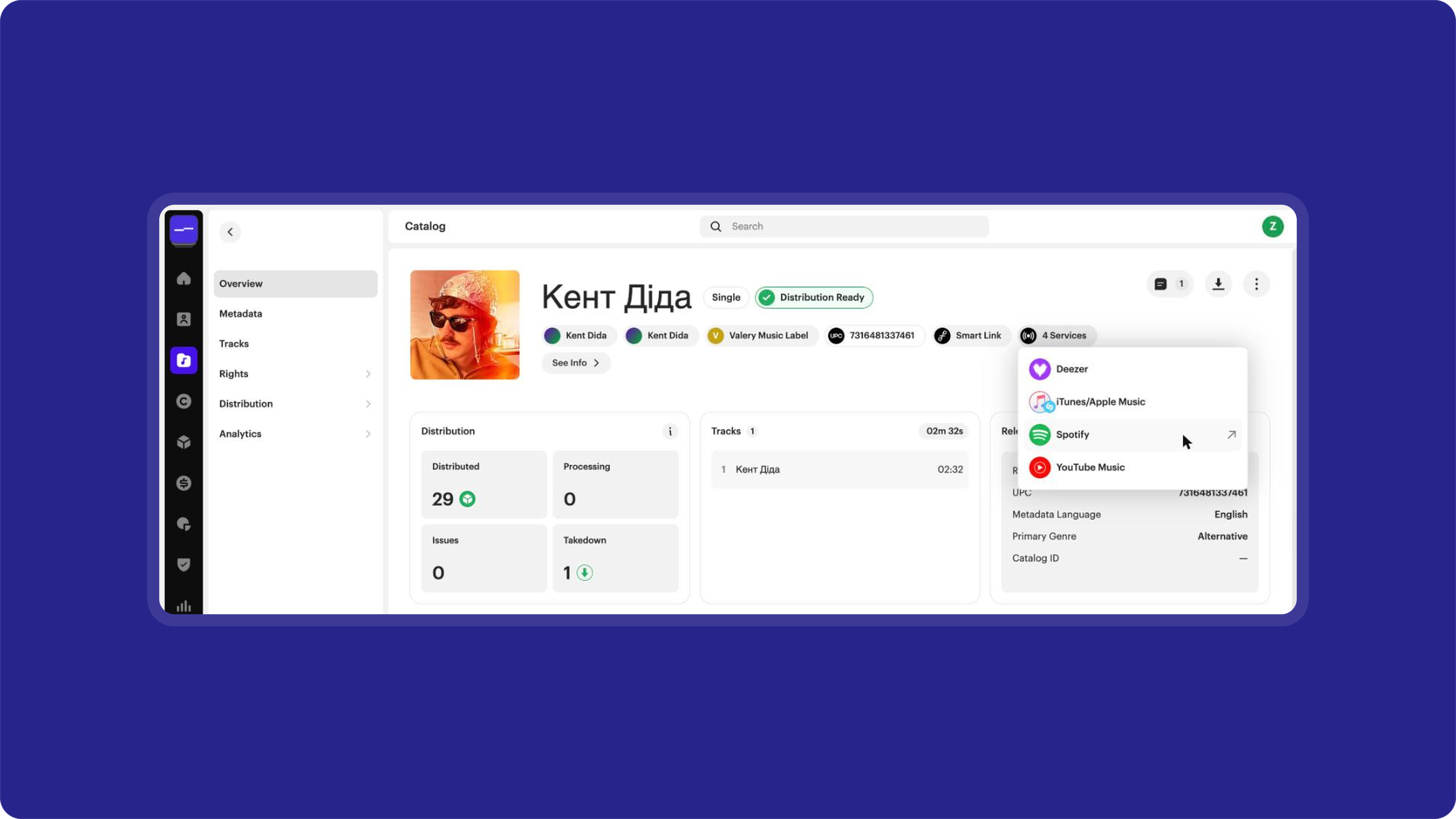
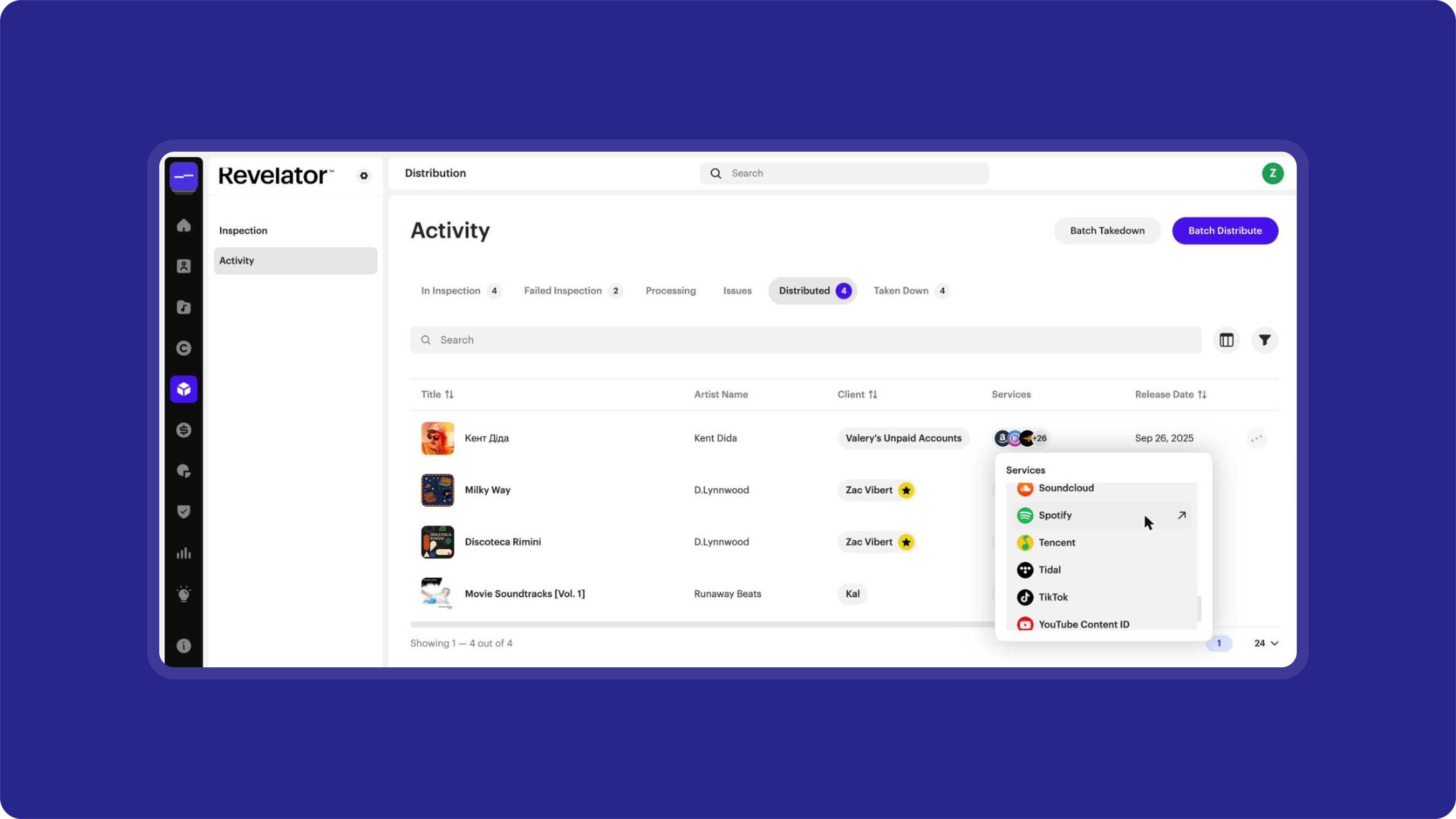
Once your release has been delivered to Spotify, you can open its Spotify link from two places:
- Release page: Go to Catalog, open your release, click the Services button below the release title, then click Spotify.
Distribution Activity: Go to Distribution → Activity → Distributed, click your release's icons in the Services column, then click Spotify.
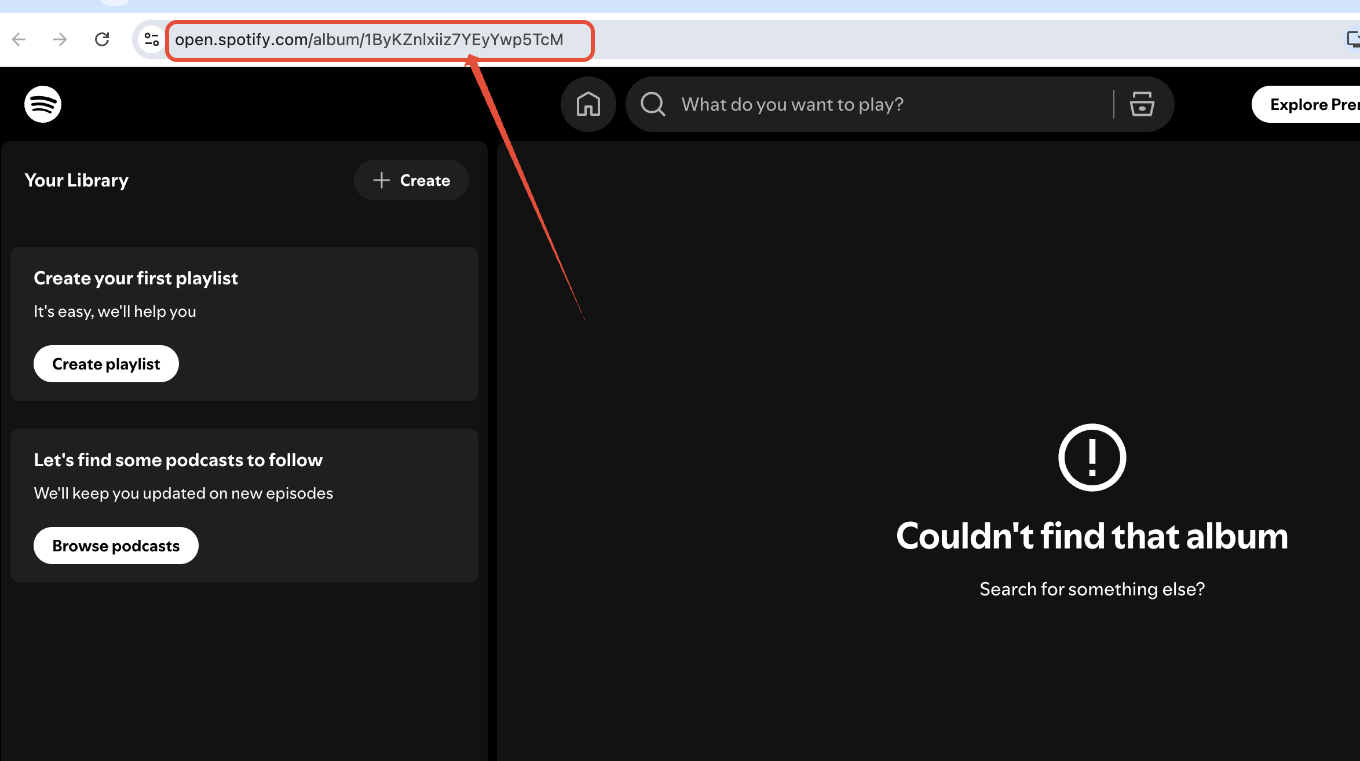
Your release ID is the code at the end of the link.
For example, in open.spotify.com/album/6oRyg3pPyayMi03EQobOZg, the ID is 6oRyg3pPyayMi03EQobOZg.
How to request URIs or IDs
For other DSPs, or for track URIs/IDs, email Support with the following information:
- The UPC or release ID of your release
- Whether you need the release or track URIs/IDs
| Note Your release must have already been delivered to the DSP for us to provide you with the URIs/IDs. |
Related articles
Was this article helpful?
That’s Great!
Thank you for your feedback
Sorry! We couldn't be helpful
Thank you for your feedback
Feedback sent
We appreciate your effort and will try to fix the article