Export your payee information as a CSV file to manage payee account details outside of Revelator. The export includes expanded client, payment, account status, and payee details, so you can review everything about your payees in a single file.
Export your payees
- In the sidebar, go to Payees.
- Click the menu (⋮) at the top right of the page.
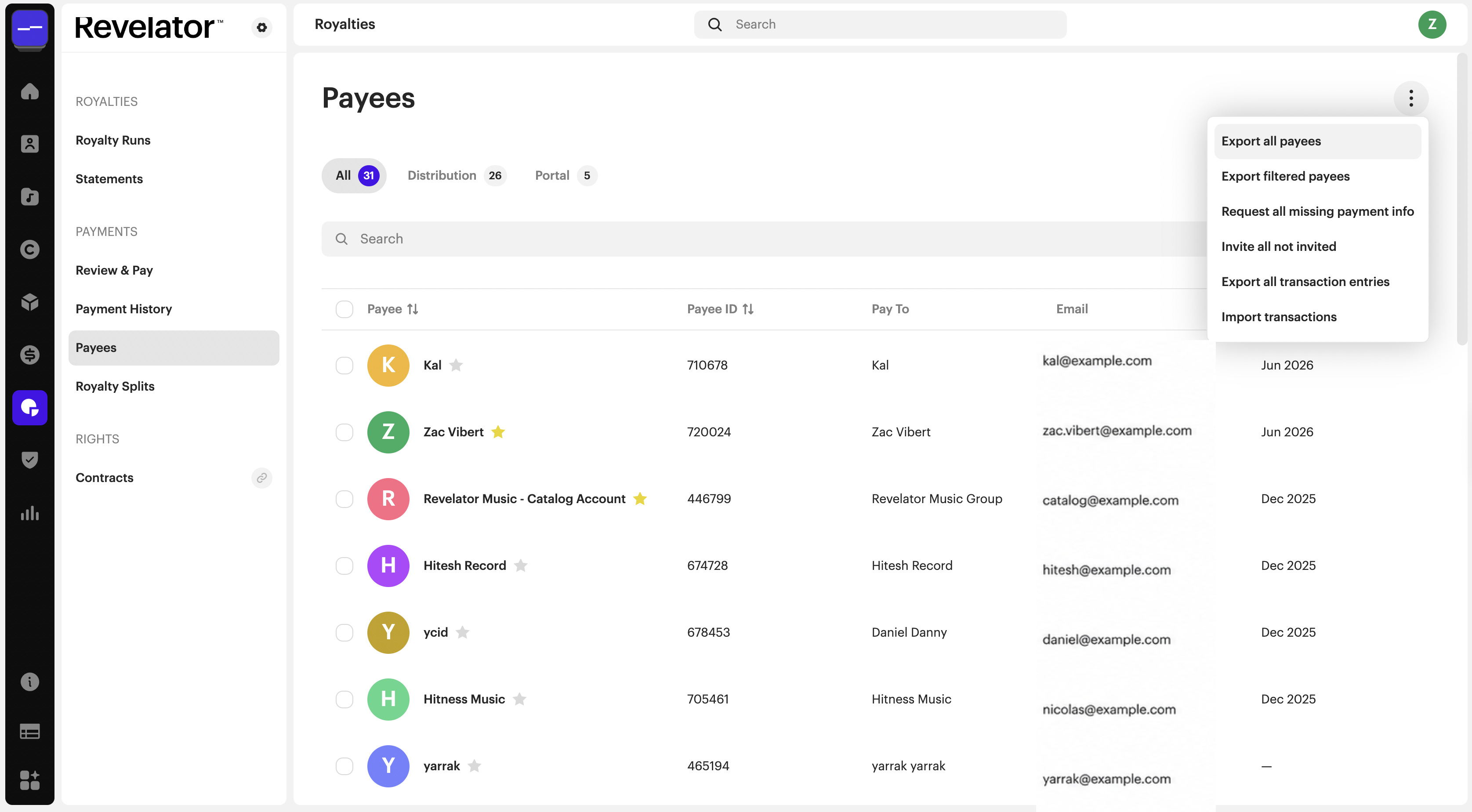
- Choose an export option:
- Export all payees — exports every payee in your account.
- Export filtered payees — exports only the payees matching the search or filters applied on the Payees page.
- The file downloads automatically as a CSV.
Filter before you export
To export a specific set of payees rather than the full list, narrow the results first, then export what's left.
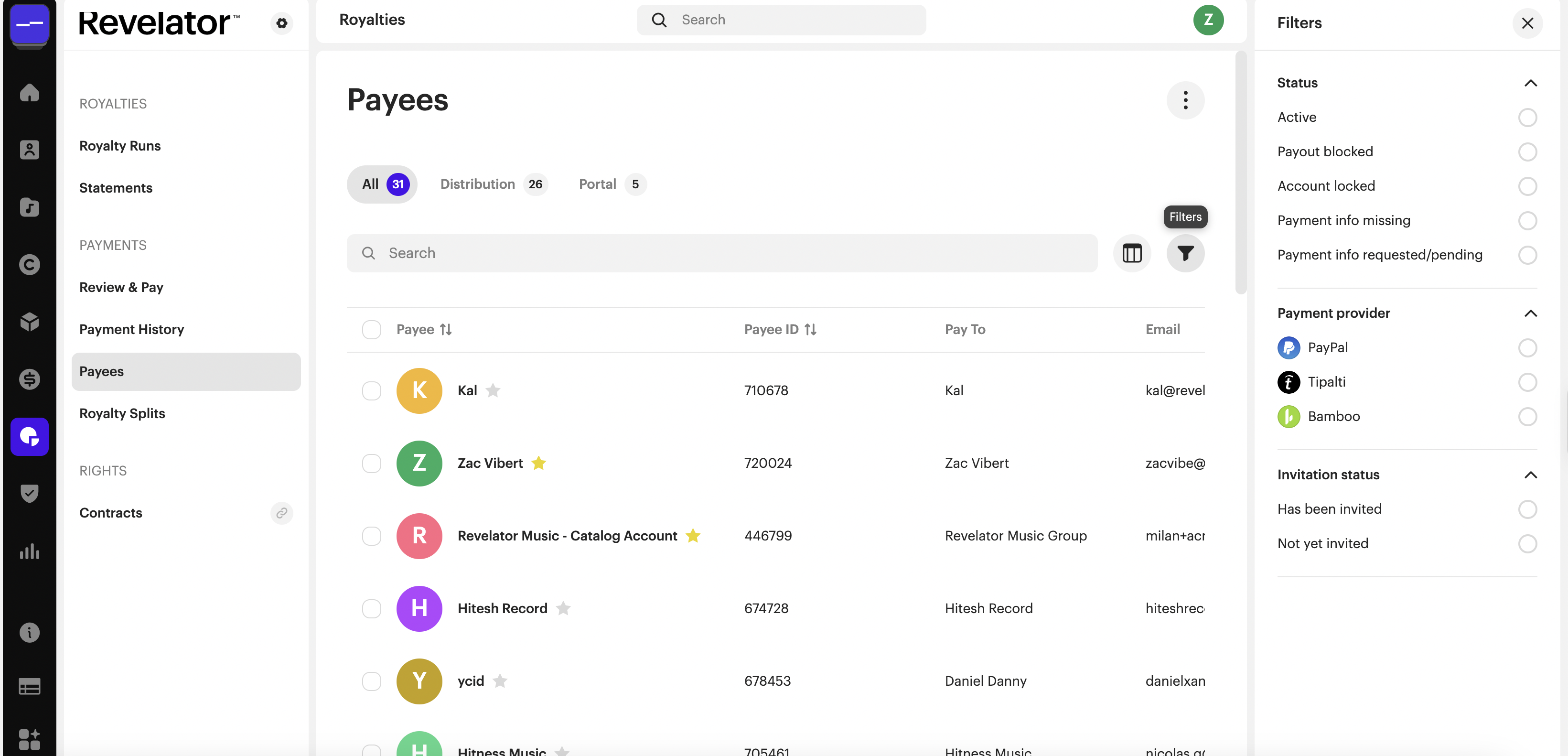
- On the Payees page, use the search bar or filters to narrow the list to the payees you want.
- Click the menu (⋮) at the top right.
- Select Export filtered payees to export only the records currently shown.
| Note Export filtered payees reflects the search and filters applied on the Payees page at the time you export. To export your entire list regardless of filters, use Export all payees. |
What's included in the export
The export now brings more payee and account information together in a single CSV file:
- More payee information — payee account type, client and contact identifiers, VIP status, payout blocked status, and account locked status.
- Payment account details — payment provider, payment account, minimum payment, and balance.
- Tax domicile country — the tax country associated with each payee.
- Creation and update dates — when relevant payee, client, and contact records were created or last updated.
- Cleaner export files — less relevant fields have been removed.
How this helps you
- Review payees more effectively — access account, payment, tax country, and status information in one CSV file.
- Work with the records you need — export all payees, or only those matching the filters applied on the Payees page.
- Simplify administration — use the expanded information to support payment reviews, audits, reporting, and payee record management.
Frequently asked questions
What's the difference between "Export all payees" and "Export filtered payees"?
Export all payees includes every payee in your account. Export filtered payees includes only the payees matching the search or filters currently applied on the Payees page.
What file format is the export?
Payees export as a CSV file, which opens in Excel, Google Sheets, Numbers, and most spreadsheet tools.
Can I also export transaction data?
Yes. From the same menu (⋮), select Export all transaction entries to export transaction data for your payees.
Related articles
Was this article helpful?
That’s Great!
Thank you for your feedback
Sorry! We couldn't be helpful
Thank you for your feedback
Feedback sent
We appreciate your effort and will try to fix the article