The Resources page lets you add support links, an FAQ link, a custom navigation link, and legal documents to your whitelabel platform. These appear in your platform's navigation so your clients can reach the resources and agreements you choose to feature.
Accessing the Resources page
You can configure Resources from your account settings.
- Open your account settings
- Under Whitelabel, select Resources
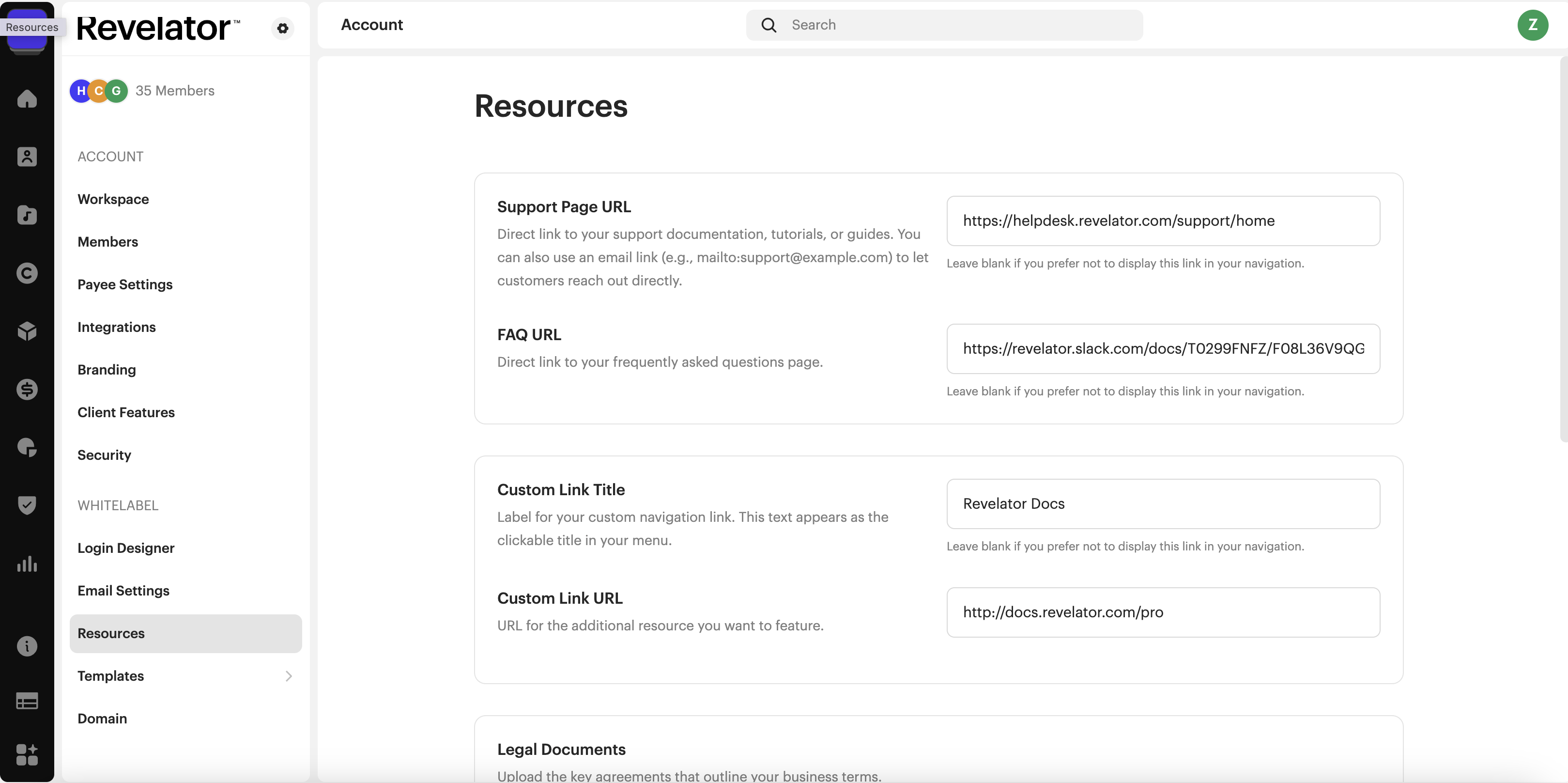
Support Page URL
Add a direct link to your support documentation, tutorials, or guides. You can also use an email link (for example, mailto:support@example.com) to let customers reach out directly.
FAQ URL
Add a direct link to your frequently asked questions page.
| Note Leave a field blank if you prefer not to display that link in your navigation. |
Custom Link Title and Custom Link URL
Use these two fields together to feature an additional resource in your navigation menu.
- Custom Link Title — the label for your custom navigation link. This text appears as the clickable title in your menu.
- Custom Link URL — the URL for the additional resource you want to feature.
Legal Documents
Upload the key agreements that outline your business terms.
Terms and Conditions
Upload your Terms and Conditions document (PDF, max 2MB) or paste a link to your hosted version so users can review it during sign-up.
Distribution Agreement
Upload your Distribution Agreement (PDF, max 2MB) or provide a URL to your hosted document for users to review during the distribution process.
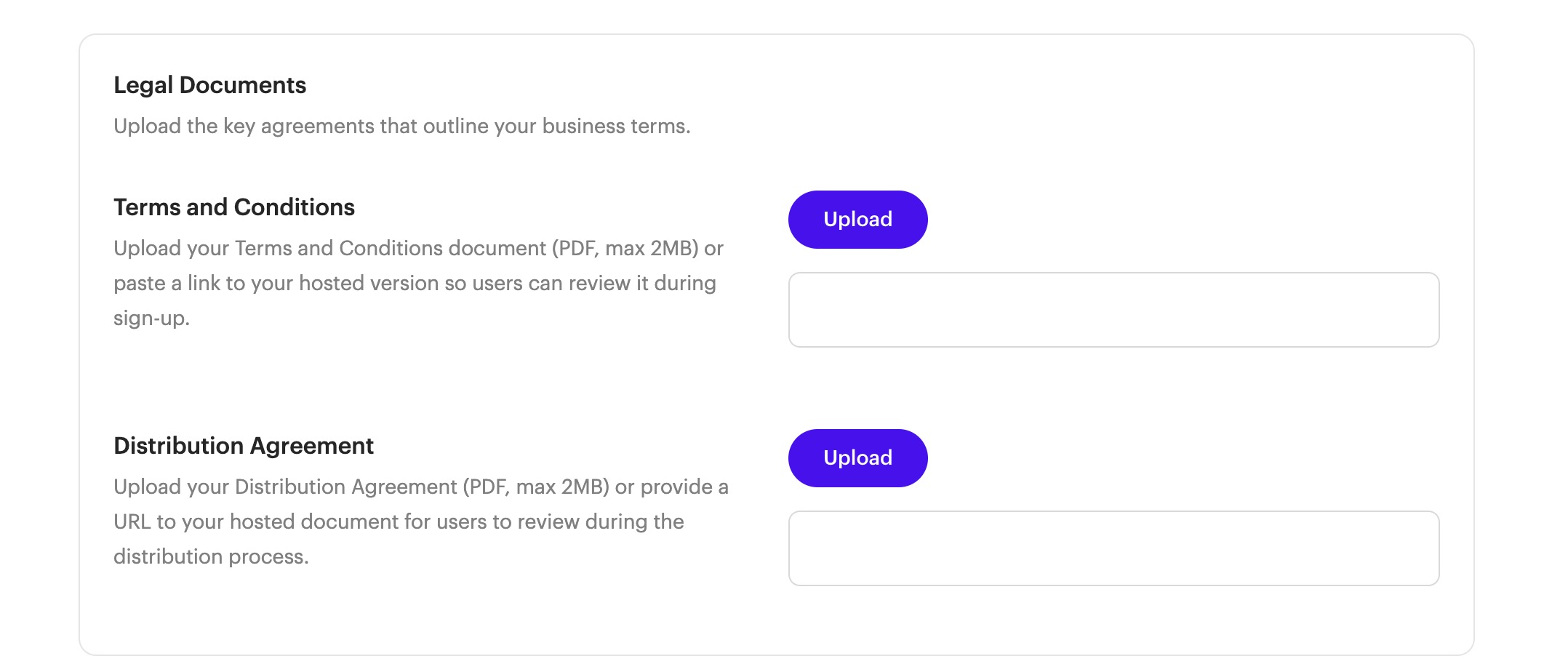
| Important For each legal document, you can upload a PDF (max 2MB) or provide a link to your hosted version. |
Intercom
If you use Intercom, you have the option to connect it to better manage the communication and support of your users. This is optional and only applies if you already use Intercom.
- Turn on the Enable Intercom toggle
- Enter your Intercom ID in the field provided
The Intercom ID is a required field when Intercom is enabled.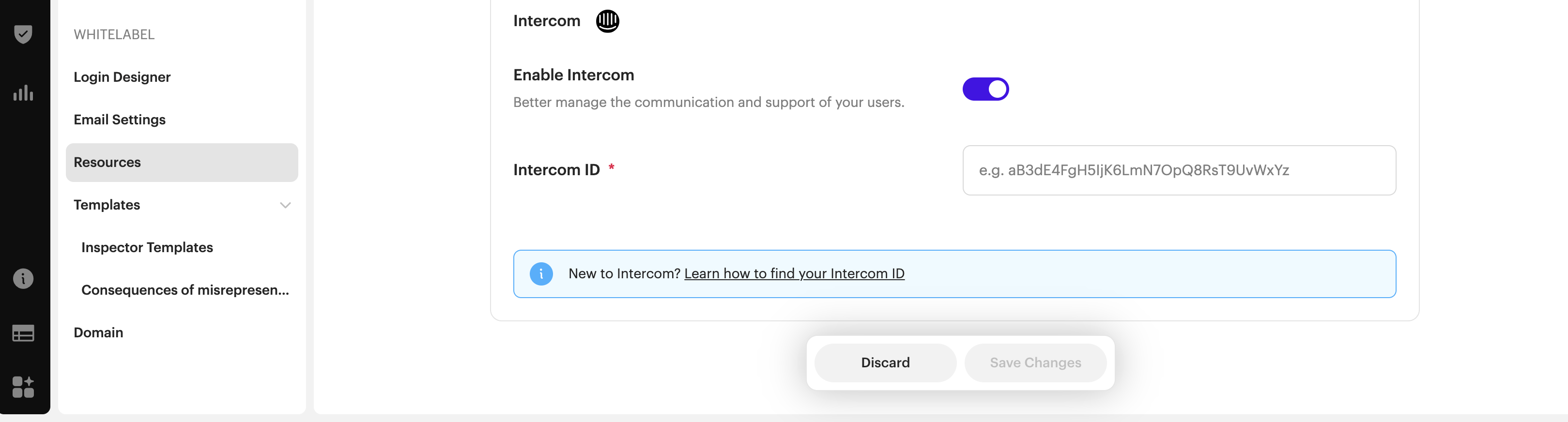
Was this article helpful?
That’s Great!
Thank you for your feedback
Sorry! We couldn't be helpful
Thank you for your feedback
Feedback sent
We appreciate your effort and will try to fix the article