Engagement Analytics gives you detailed insight into how listeners actually connect with your music: not just how many times a track was played, but how it was experienced. Use it to fine-tune release strategies and improve streaming performance.
Where to find it
There are two ways to view Engagement data:
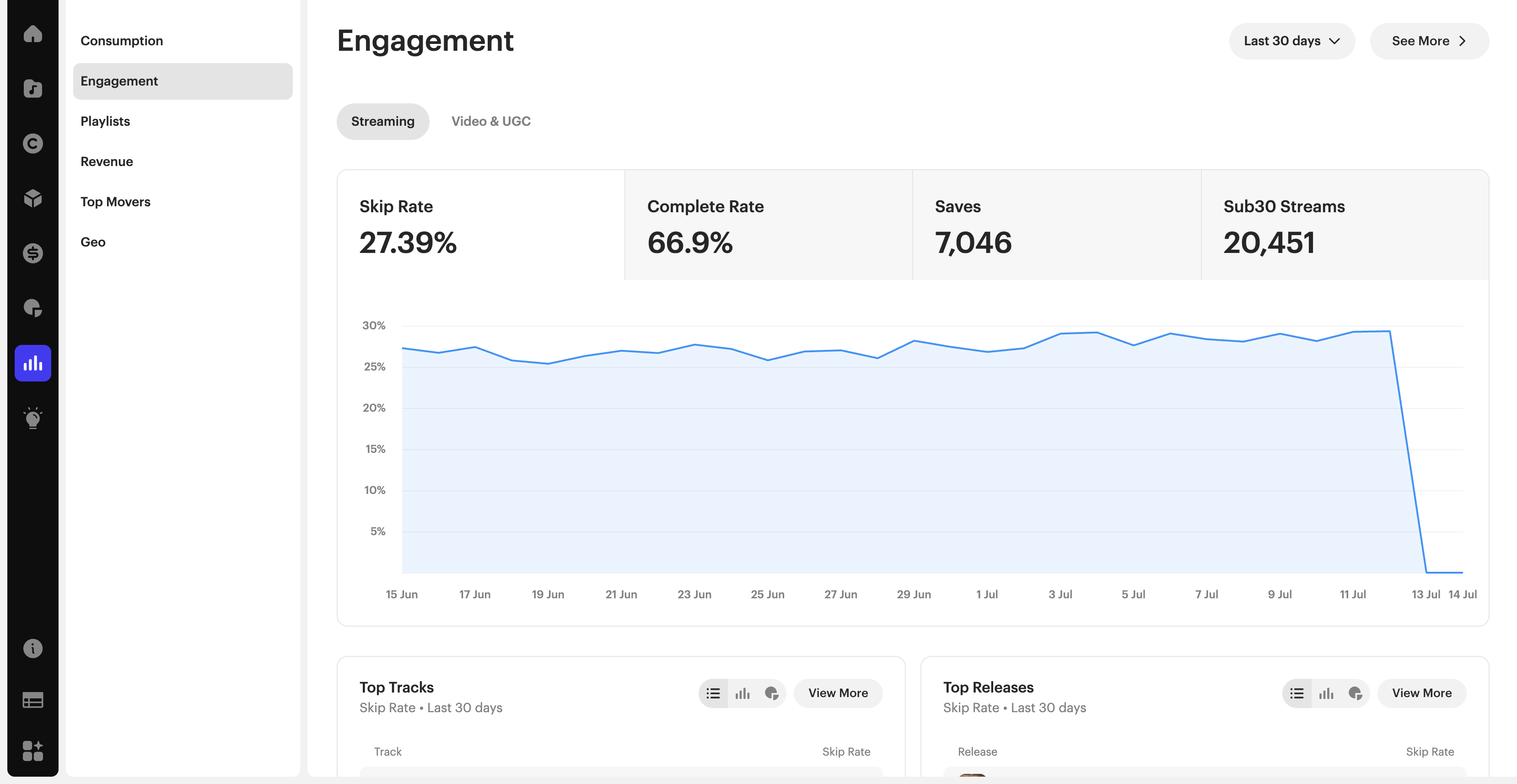
Analytics → Engagement, the standard dashboard: Streaming / Video & UGC tabs, four summary metric cards, a trend chart, and Top Tracks / Top Releases lists.
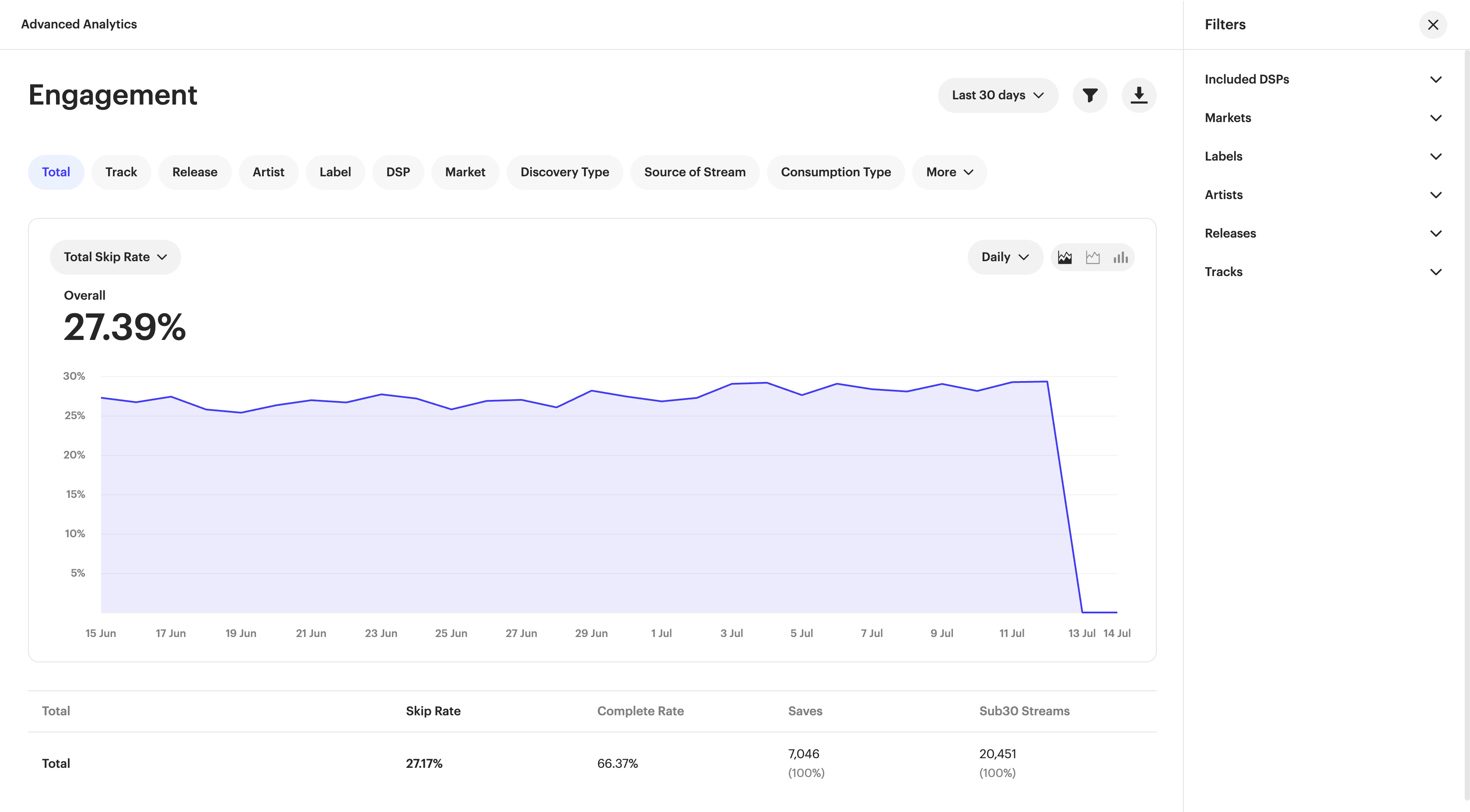
Advanced Analytics (from the same Engagement section), a deeper breakdown view with a wider set of dimensions and a dedicated Filters panel.
The four core metrics
| Metric | What it measures |
|---|---|
| Skip Rate | How often listeners skip a track before it reaches the 30-second mark. |
| Complete Rate | How often a stream plays a track all the way through. Shows which songs hold listener attention to the end. |
| Saves | How often fans save the track to their library or a playlist. |
| Sub30 Streams | Streams that stop within the first 30 seconds: an early read on initial listener interest, distinct from a skip. |
Breaking down your data
In Advanced Analytics, break any of the four metrics down by: Total, Track, Release, Artist, Label, DSP, Market, Discovery Type, Source of Stream, Consumption Type, and additional dimensions under More.
Tracking trends over time
Switch the chart granularity between Daily, Weekly, Monthly, or Quarterly, and choose between line, area, or bar chart views using the icons next to the granularity selector.
Filtering your view
Use the Filters panel to narrow the view by Included DSPs, Markets, Labels, Artists, Releases, or Tracks: useful for isolating a single release or campaign rather than viewing your whole catalog at once.
Exporting your data
Use the download icon (next to the filter icon) to export the currently displayed view as a CSV: useful for sharing insights with your team or building your own reports outside the platform.
Related articles
Was this article helpful?
That’s Great!
Thank you for your feedback
Sorry! We couldn't be helpful
Thank you for your feedback
Feedback sent
We appreciate your effort and will try to fix the article